Salon website ideas for a hair and color studio
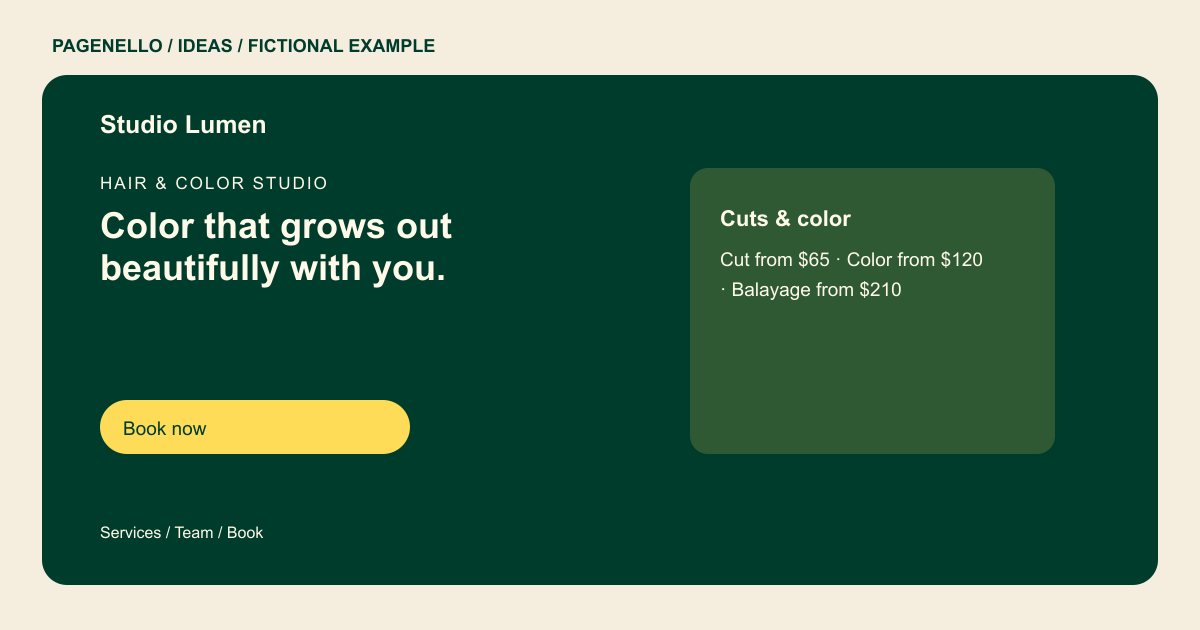
A salon website can introduce your signature work, explain how to choose a service and guide visitors toward an appointment. The fictional Studio Lumen example combines a service menu, team introductions and a booking action. Use its structure as a starting point, then replace the sample details with the actual experience at your salon.
Want a page designed for your business? See the top of your own page free before paying.
By Luis Junior
Hair & color studio
Color that grows out beautifully with you.
Lived-in color, precision cuts and a calm chair. New clients welcome.
Choose a visual direction that fits the chair
Studio Lumen leads with a headline about color and mentions a calm chair. A salon known for short cuts might use a portrait that shows the shape of a finished cut instead. Choose an image of work you have permission to publish and pair it with a readable headline, so the photo supports the message even on a small screen.
Help a first-time client choose
The sample lists cuts, color and balayage with starting prices in one item. Your menu can explain when a consultation is needed and which factors affect the final quote. Introduce individual stylists by specialty if clients can request them, and keep service descriptions consistent with the options in your appointment tool.
Make booking expectations visible
Place the appointment button alongside the service choices and point it to the booking system you already use. Put your actual cancellation or deposit policy close to that link. If someone is unsure which color service to select, a call button can give them a way to ask before committing to a slot.
Salons: ideas
| Idea | Use |
|---|---|
| Color portfolio approach | Feature a permitted photograph of a finished color service, with a short caption describing the technique your stylist used. |
| Stylist-led approach | Give each featured stylist a concise specialty and connect the section to your existing staff selection flow, if available. |
| Service menu approach | Organize cuts and color into scannable groups. Show starting prices only when they reflect your current pricing. |
| New-client visit approach | Explain consultation, arrival and appointment policies in the order a new guest encounters them. |
Questions about salon websites
Is Studio Lumen an actual salon client?
No. Studio Lumen and the information in its example are fictional. They illustrate one possible arrangement for a salon page. Replace its example stylist and service details with your own.
Can I connect the design to my appointment calendar?
The booking button can open the appointment service you already use. Building a new booking system is outside the package. Label the destination so clients recognize the appointment service.
How do I show a longer service menu?
Choose the main services for the one-page design and link to your complete current menu, or add a separate page for $190. Keep prices aligned with the menu in your booking provider.
