Esthetician website ideas for a welcoming studio
An esthetician website can make a first appointment easier to understand by naming the treatments, explaining the visit and showing how to book. The fictional Petal & Pore Skin Studio demonstrates one approach. Use your own service descriptions, credentials and studio photographs to make it yours.
Want a page designed for your business? See the top of your own page free before paying.
By Luis Junior
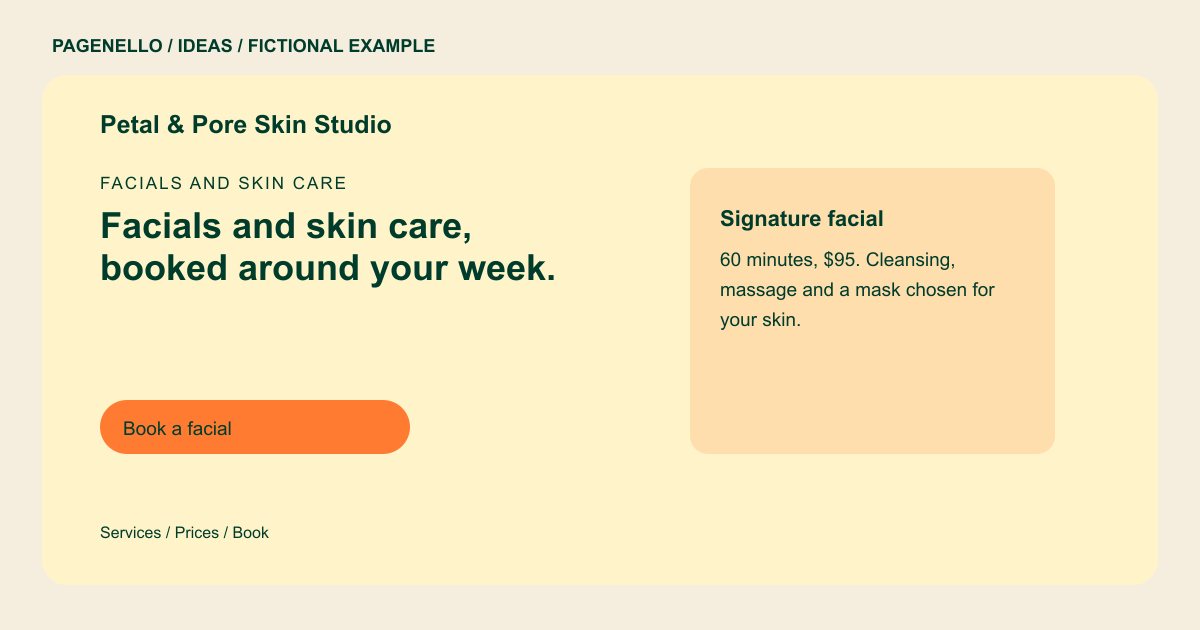
Facials and skin care
Facials and skin care, booked around your week.
Custom facials, peels and body treatments in a quiet room with soft light. Every new client starts with a short consult, so the treatment fits their skin.
Let clients recognize the treatment
Petal & Pore names a signature facial and gives its duration and price. For your own menu, explain the steps included and any preparation instructions you provide. Check the published price against your appointment service, and give clients a way to ask about sensitivities before booking. For a real treatment menu, distinguish the base appointment from optional additions beside the relevant service. A visitor can then ask the practitioner which appointment to select without reading a promise about a particular skin outcome.
Introduce the person behind the appointment
A clear portrait and a short note about your training can help clients understand who they will meet. Include only credentials you hold and check the rules that apply to your practice and advertising before making treatment claims. The sample gives the practitioner a name and placeholder license number without displaying a portrait. A real studio can choose whether to add a permitted image and should check its own credential and advertising rules.
Keep the next step visible
Place an appointment button near the treatment details and give clients a way to ask questions. If you already use scheduling software, the button can lead there. Check which intake and payment features your provider supports; Pagenello does not build a new booking system.
Estheticians: ideas
| Idea | Use |
|---|---|
| Treatment menu focus | Group facials, waxing or brow services by what you actually offer, with clear durations where available. |
| A calm studio introduction | Use a photo of your own treatment room and a short description of the appointment environment. Identify the setting accurately and secure permission from anyone visible in the photograph. |
| First-visit guidance | Explain how a consultation works and where clients can ask about sensitivities before booking. |
| The practitioner approach | Place your name and accurate license information beside a photo so visitors know who provides the service. |
| Easy appointment route | Connect the service list to the correct page in your existing booking app rather than promising an on-site scheduler. |
Questions about skin care websites
Does the example show a real esthetician client?
No. Petal & Pore and its practitioner are fictional. The details show how a studio might organize its page. Its treatment descriptions and placeholder credential illustrate a layout rather than a client project.
Can the site link to my appointment calendar?
Yes. An appointment button can open your existing scheduling service. Pagenello does not build a new booking system. Your provider manages the appointment details and any payments supported by its service.
What should I check before posting treatment photos?
Use images you have permission to publish, review applicable advertising and privacy rules, and avoid implying a promised outcome. Describe the service shown accurately and check consent before displaying a client’s image.
