Barbershop website ideas: make the next haircut easy to plan
A barbershop page can show the work, explain the cost of a cut and help a client choose a chair. Ridge & Razor is a fictional shop used to demonstrate that arrangement. Choose your own photos, services and booking options to match the way your shop operates.
Want a page designed for your business? See the top of your own page free before paying.
By Luis Junior
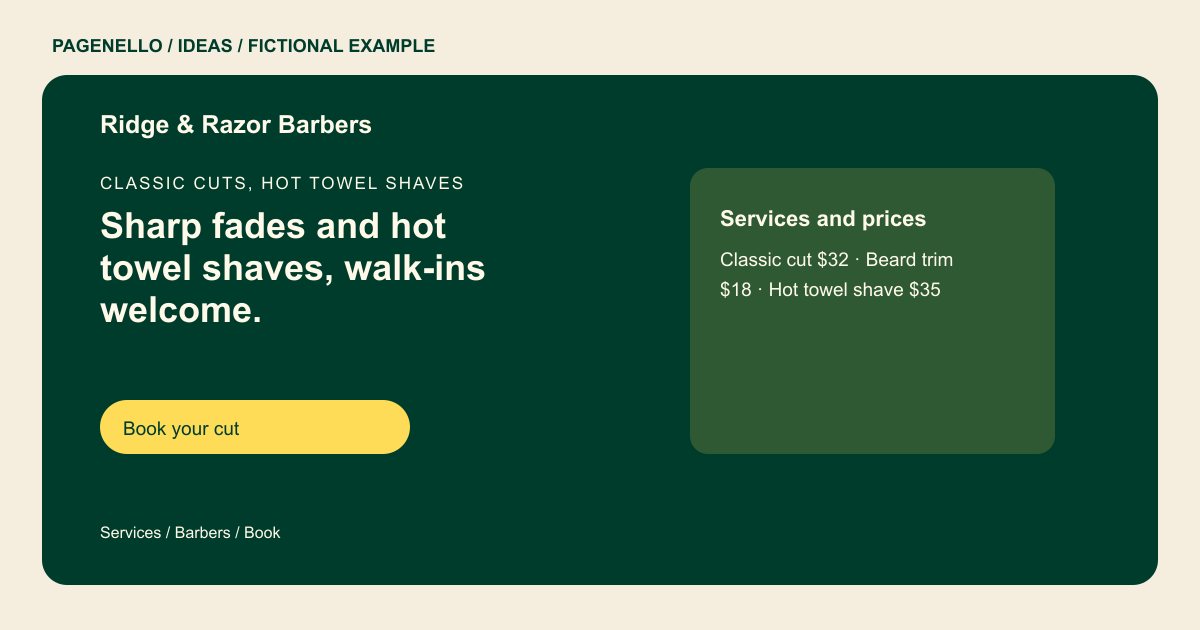
Classic cuts, hot towel shaves
Sharp fades and hot towel shaves, walk-ins welcome.
Three barbers, one chair each, cutting fades, beard trims and kids’ cuts. Book ahead on Saturdays, or walk in when a chair is free.
Let the work set the tone
The sample leads with fades and hot towel shaves. Your opening image might instead show a precise beard line, a long haircut or the actual chairs in your shop. Use recent photos with permission and make sure the finished cut remains visible when the image is cropped for a phone.
Make the service list usable
The fictional price block puts a classic cut, beard trim and shave side by side. Describe your own services by the names clients recognize, then add a duration or starting price where it helps them select the right appointment. Update those details when your menu changes.
Explain how the chairs work
A shared calendar suits some shops; independent barbers may have separate booking links. Label each person’s link clearly and state your actual walk-in policy alongside opening hours. If a barber works only on certain days, mention that next to the name.
Barbershops: ideas
| Idea | Use |
|---|---|
| The cut gallery | Arrange a few distinct examples of your own work by style, such as fades, scissor cuts and beard shaping, rather than repeating the same angle. |
| Choose a barber | Replace the fictional shop-wide action with individual names and booking destinations when your team uses separate calendars. |
| Walk-in window | Put the hours you accept walk-ins near the opening times, and explain whether clients should call before arriving. |
| Price board | Use the example’s short service list as a compact board; link to a longer menu when your choices need more explanation. |
| Finding the chair | Show your entrance and add a useful parking or transit note if the shop is difficult to spot from the street. |
Questions about barbershop websites
Does the pictured shop represent a real client?
No. Ridge & Razor and its service details are fictional examples, not a customer project. The sample prices and barber details were created for the demonstration.
Can each barber have a separate appointment link?
Yes. A link beside each barber can open that person’s existing booking page. The appointment calendar remains with the provider you use. Check each barber’s availability and services in the linked calendar.
What should I do if prices depend on hair length?
Use an accurate starting price or explain the consultation process beside the service. Avoid a fixed amount that does not reflect what clients will be charged.
How should I handle photos of customers?
Use pictures you have permission to publish and choose images that represent the cuts currently offered at your shop. Obtain the client’s permission before identifying anyone in a photo.
