Handyman website design: one page with the jobs you take and how to reach you
A handyman website has to show the jobs you take, the jobs you send to other trades, how you price and how to reach you. For $590, Pagenello builds one custom page in your own words, linked to the scheduling tool you already use. The free first look shows you the top of the page before any money is spent.
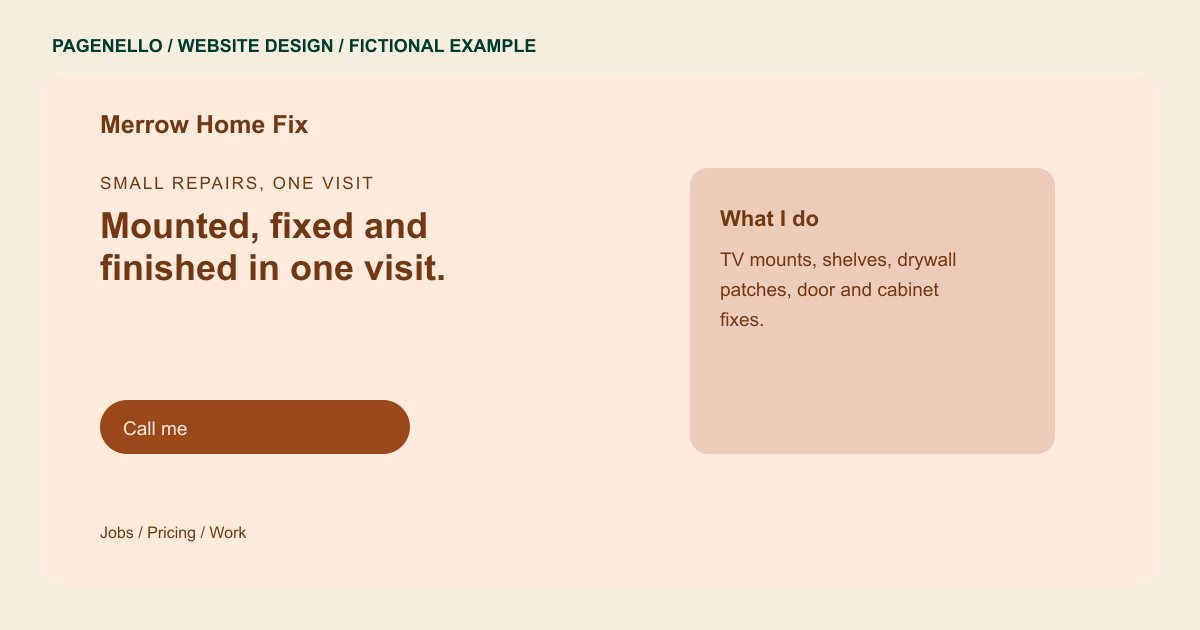
Small repairs, one visit
Mounted, fixed and finished in one visit.
Furniture assembly, TV mounts, drywall patches and door repairs for homes and rentals. Send me the list, and I'll tell you what fits in a single visit.
Plan your handyman website
What do handyman customers look for on a website?
Handyman customers often have a list: a shelf to hang, a sticking door or a TV to mount. They want to know which jobs you accept, how you quote and what happens if the work turns out to be larger than expected. Explain whether you prefer a single list by email and how you decide which tasks fit your scope. State your own terms for minimum visits and materials rather than implying every repair has a fixed price.
| Customers look for | On your Pagenello page |
|---|---|
| Jobs you take | A plain list: mounting, shelving, furniture assembly, drywall patches, door and cabinet fixes. A customer sees quickly whether their job fits. |
| Jobs you send out | Electrical panels, gas lines and roofing belong with licensed trades. Saying so on the page keeps the wrong calls from taking your time. |
| How you price | An hourly rate or flat prices for common jobs, the minimum visit and how materials are billed. Quotes for larger work come after a look at the job. |
| Photos of finished work | Photos from your own jobs, each with a one-line caption that names the job. Keep customers' addresses and house numbers out of frame. |
| A call button and estimates | Tap-to-call at the top, and one short paragraph on how estimates work: free or paid, and how soon a customer hears back. |
Which tools can my page link to?
Your page links to the scheduling and quoting tool you already use, such as Jobber or Housecall Pro, and to the review profiles where past customers left feedback, like Google or Angi. Quotes and invoices stay in that software. Pagenello builds the page, not the quoting system, and tap-to-call and email sit beside every link.
What does it cost?
$590 once. The first look is free. A separate page for a longer job list costs $190. Email at your domain is $79 and forwards messages to an inbox you already use.
See the complete pricing and terms and how the first look works.
Questions from handyman owners
Should I list the jobs I don't do?
Yes. A short list of what you don't take stops the wrong calls and keeps your time for the work you want. Gas lines and roofing usually belong with a licensed trade, so say that on the page.
Can customers see prices before they call?
You can show your hourly rate, minimum visit and flat prices for common jobs as text. Many handymen quote each job after a look, so the page can say that instead. Either way, a clear line sets expectations before the first call.
Do I need to list a license or insurance?
Only what you hold. A credentials line shows your license number or insurance details exactly as you give them. Licensing rules for handyman work differ from state to state, so check yours before you publish. I won't write a legal claim for you.
Can I show photos of my work?
Yes. A gallery of finished jobs, each with a one-line caption, works well. Use photos from your own jobs and keep addresses out of frame. Short beats long here, since nobody scrolls far.
What if a small job turns out bigger?
Stop and call before you start the extra work. Explain the new scope and its price, and get a yes before you continue. The page can say that in one line, so customers know it's your rule and not a surprise.
