Cabinet maker website design: one page for your styles, finishes and projects
A cabinet maker website has to show your door styles and finishes, your finished kitchens and built-ins, and how the estimate process works. Homeowners compare a few makers on a phone, often after a remodeler or designer recommends one. Pagenello puts your photos and an estimate link on one custom page for $590. A free first look lets you judge the top of the design before anything is paid.
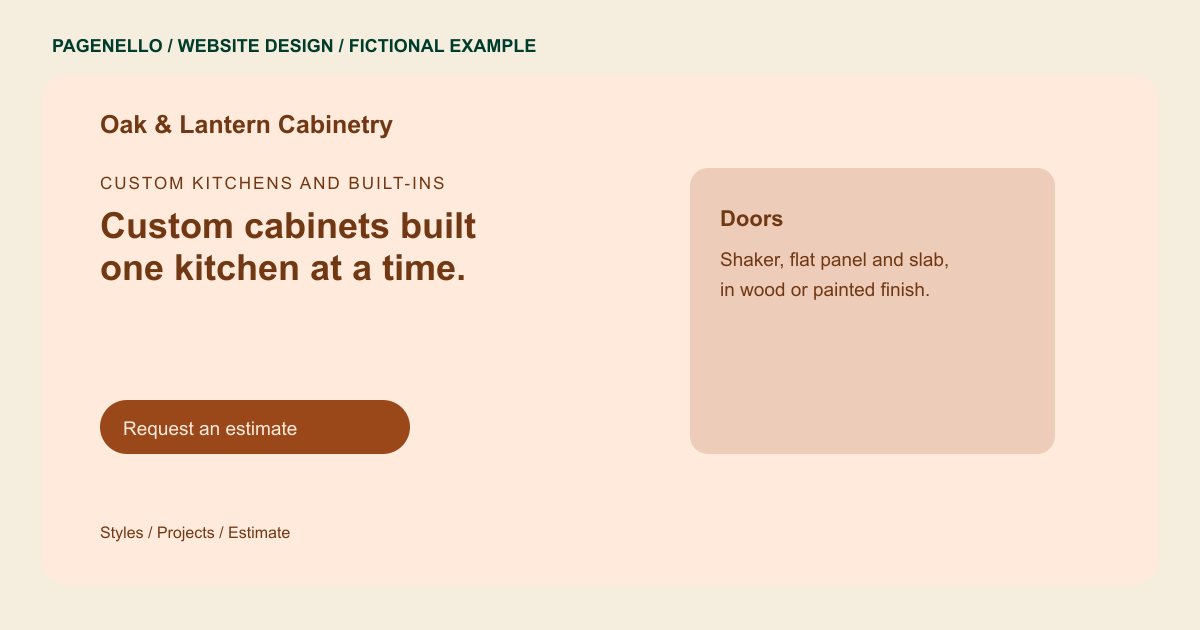
Custom kitchens and built-ins
Custom cabinets built one kitchen at a time.
Shaker and flat-panel doors in oak, cherry and painted maple. Every project starts with an on-site measure and a drawing you approve.
Plan your cabinet maker website
What do cabinet maker customers look for on a website?
Homeowners who hire a custom cabinet maker usually have a kitchen, a bathroom vanity or a built-in wall in mind, and they want to know whether your work matches their taste. They look at door styles, wood species and finish options, then check how you handle the site measure, the design drawings and the install date. Remodelers and interior designers look for the same details, plus proof of past projects they can show a client. A site with one gallery and no explanation of the process leaves those buyers to call and ask.
| Customers look for | On your Pagenello page |
|---|---|
| Door styles and profiles | Your main door styles, such as shaker, flat panel and slab, written as text so each photo has words that name the style. |
| Wood, paint and finishes | A short list of the species, paint colors and finishes you build in, with a note on which ones take longer to produce. |
| Finished projects | Photos of finished kitchens, vanities and built-ins, each with a short description of that project's space and cabinetry. |
| Measure, design and install | The process in four plain steps, from the site measure to the install, so a client knows what happens next and roughly when. |
| Estimates and contact | A button to your estimate request tool, plus your phone line and showroom address if you have one. |
Which tools can my page link to?
Your page can link to the estimate service or client portal your workshop already uses. You can also send homeowners to a profile where you maintain additional project photographs. Drawings, schedules and project files remain in your own tools; the page does not build a client portal.
What does it cost?
$590 once. The first look is free. A separate gallery of finished projects ($190) suits makers with a long portfolio. Care Plus ($390 a year) covers new project photos and seasonal hours, so recent installs show up without a rebuild.
See the complete pricing and terms and how the first look works.
Questions from cabinet maker owners
Can clients request an estimate from my site?
Yes, through a button to the estimate tool or client portal your business already uses, such as Houzz Pro. Pagenello does not build contact forms or quote tools, so the button sends people to yours, and your phone line stays one tap away.
Should I list prices?
Cabinet pricing depends on the project, so a page works well with a range for each type of job, such as a kitchen or a single vanity, plus a note on what changes the price. Detailed pricing can stay in the estimate, where it is tied to the drawings.
Do I need a page for each wood species?
No. One page can list species, paints and finishes in plain text, and the photos show the look. A catalog with a page for each door style or finish is a larger job, and I agree the scope with you before I start.
Can remodelers and designers send clients to my page?
Yes. Give them the link, and keep your phone and email near the top so a builder or designer can reach you fast. The page explains your process, so they do not have to repeat it to every homeowner.
Can I add new projects after launch?
Yes. Send new photos with a one-line description, and I add them to the page. Project photos in the first 30 days after launch are a small update, at no charge. Once that period ends, Care Plus covers small edits for $390 a year.
