Nail salon website design: one page with prices, photos and booking
A nail salon website has to show prices for each service, photos of recent work, your hours and a way to book, and it has to do all of that quickly on a phone. Pagenello turns that into one custom design for $590, with your services, your photos and a button to the booking app you already run. The free first look lets you see the top of the design before anything is paid.
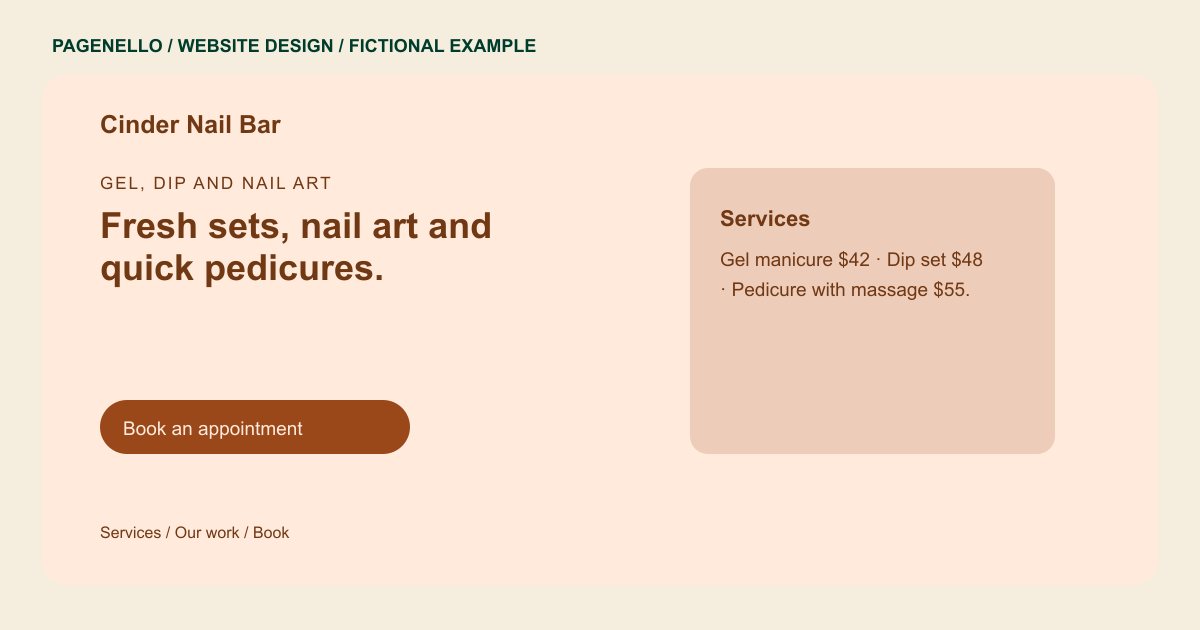
Gel, dip and nail art
Fresh sets, nail art and quick pedicures.
Gel and dip sets with a clean finish, pedicures in the back room and seasonal nail art. Walk-ins are welcome on weekday afternoons.
Plan your nail salon website
What do nail salon customers look for on a website?
A client may compare gel, dip, pedicures or nail art before choosing an appointment. Show your service menu and explain when removal, length or a design changes the price. With permission, photos of your team’s work can illustrate available styles. State your walk-in policy and hours, and explain how someone can request a technician if you offer that option. For a special-occasion set, tell clients how to discuss a reference design and removal before reserving the right appointment.
| Customers look for | On your Pagenello page |
|---|---|
| Prices for each service | A price list by service, such as manicure, pedicure, gel, dip, extensions and nail art, written as text so it reads on a phone. The full menu can move to its own page, $190, when the list runs long. Explain how a client should ask about an elaborate design before choosing a service. Place the removal information beside the service where a client would look for it. A client with an existing set can check whether removal is included before selecting a manicure. |
| Photos of recent sets | A small gallery of recent sets and nail art, shared with each client’s permission, with the technician’s name under the work they made. Caption the finish and technique used in a permitted photo of each set. If several technicians contributed, attribute each image to the person who created that work. Keep photo captions accurate when the artwork or extension was created by another technician. |
| Booking or walk-ins | A booking button to the appointment app you use, and a line on whether walk-ins are welcome and during which hours. Say how your team handles a walk-in when every technician is occupied. Specify which services your salon makes available without an appointment. If you take walk-ins only on certain days, put those hours beside the policy. |
| Who does what | Each technician’s specialties, such as dip powder, extensions or pedicures, so a client knows who to ask for on the first visit. Keep technician specialties current when services or working days change. A client requesting a particular technician can check availability through your normal contact channel. Ask technicians which names and images they are comfortable displaying. |
| Hours and the address | Hours for each day, the address with a map link, and a tap-to-call button for same-day questions about availability. Give customers the contact you use for same-day questions about an existing set. For a group visit, explain how to discuss the number of clients and services before arrival. A visitor can call to check whether their requested service is available that day. |
Which tools can my page link to?
Your page can link to your existing appointment service, a separate gift card service and your Instagram account for more nail photos. If your salon accepts reference pictures, explain how clients share them before choosing an appointment. Describe whether removal is booked separately and how to ask about group appointments. Keep published prices consistent with the menu clients see when they book.
What does it cost?
$590 once. The first look is free. Google Business Profile setup, $149, keeps your hours and photos on Google Maps in step with the site. A separate page for your full services list and team bios is $190.
See the complete pricing and terms and how the first look works.
Questions from nail salon owners
Can clients book from my site?
Yes. The page has a button to the appointment app you already use, such as Booksy, Vagaro, Fresha or Square Appointments. Clients who prefer to call get a tap-to-call button in the same spot.
Can I show photos of my clients’ nails?
Share photographs of your technicians’ work when you have permission from the people pictured. Small photo edits are included for 30 days after launch. After that, Care Plus costs $390 a year and includes up to two small edits a month.
Do I need a website if I already post on Instagram?
Your page can organize service prices, opening hours and appointment information alongside a link to your existing social profile. Choose photographs of your own work that you are allowed to publish, and keep walk-in and booking instructions current.
Can I list each technician?
You can introduce each technician and identify the services they actually offer. Ask each person about the name, specialties and image they want shared. If longer biographies need their own page, an extra page in the same design costs $190.
What if we only take walk-ins?
If your salon accepts walk-ins, the page can explain the hours and services available under that policy. If you later take appointments, a link can send clients to your existing booking service. Keep the instructions aligned with the way your team handles visits.
