Hair braiding website design: one page with your styles, prices and booking
Show prospective clients the braid styles you offer, the factors behind a quote and how to prepare for an appointment. Pagenello creates a custom page for $590, using your photographs and a link to your existing booking app. The free first look shows the top of your page before payment.
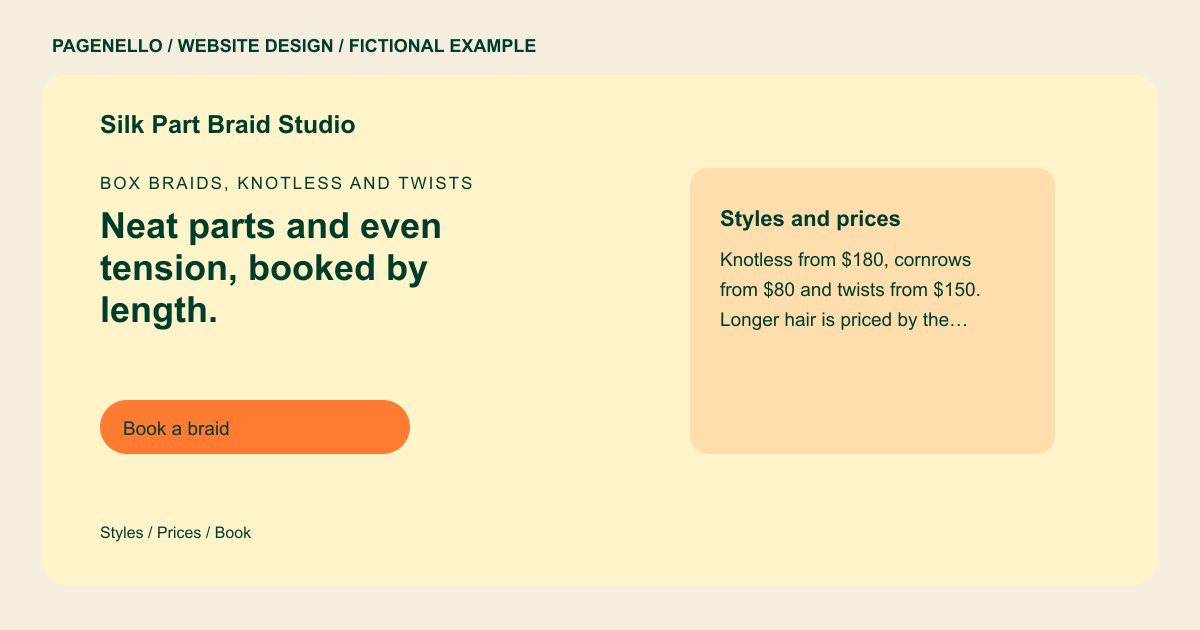
Box braids, knotless and twists
Neat parts and even tension, booked by length.
Box braids, knotless braids, cornrows and twists for all hair lengths. Wash and stretch your hair before you come, then book the style you want.
Plan your hair braiding website
What do hair braiding customers look for on a website?
Clients often arrive with a particular style in mind, from knotless box braids to cornrows for an event. They may compare photos, ask about appointment length and check how hair length or braid size affects a quote. Show your own work and explain the preparation your services require. If extensions are involved, say whether you supply them or clients bring their own. Give clients a way to discuss a reference photo before booking when that fits your process. A client comparing two braid sizes can ask how the choice affects the appointment and the amount of added hair required.
| Customers look for | On your Pagenello page |
|---|---|
| Styles and prices | A price list grouped by style, with the hair length each price assumes. Clients can match their look before they send a message. Explain whether the quoted length refers to the client’s natural hair or the finished braids when your pricing depends on that distinction. |
| Finished work | Photos of finished styles, each captioned with the style name. Post only work you have permission to show, and skip photos where a client's face is visible unless they agreed. A close photograph can show parting and braid size without exposing a client’s face, provided you have permission to publish it. |
| Prep before the appointment | A short list covering whether hair should be washed and stretched, which extensions to buy in advance and how long the style runs. It sits close to the booking button. If clients supply extensions, describe the type or quantity you ask them to bring and let them confirm the choice with you. |
| Booking rules | Deposit rules, lead times and how to reschedule, in plain words. Booking happens in your app, and the page sends people there in one tap. Use your actual deposit and cancellation terms and direct the client to the appointment provider for the current policy. |
| Where you work | Your studio address with a map link, or the salons and days you work from if you travel between them. Parking and the entrance go in one line. When a braider rotates between locations, pair each salon with its own booking instructions and update the schedule when it changes. |
Which tools can my page link to?
Your page links to the appointment app you already use, such as Booksy, Vagaro or Square Appointments, and to Instagram for recent braid styles. Deposits and rescheduling remain in that app. Add a call or email option for someone who wants to discuss length, parting or extensions before choosing a service. Point clients to your current preparation and rescheduling policies. When a client sends a style reference, explain how your consultation process handles differences in length or requested parting.
What does it cost?
$590 once. The first look is free. Email at your domain ($79) forwards messages to an inbox you already use. An extra page ($190) can hold a longer style guide.
See the complete pricing and terms and how the first look works.
Questions from hair braiding owners
Can I list prices by style and hair length?
Group your braiding services by style and explain the length or size each listed price covers. If extensions or extra length change the quote, describe your own policy and give clients a way to ask first.
Can clients book directly from my site?
A booking button can lead to the appointment app you already use. Clients choose a time and follow its deposit or rescheduling steps there; creating a new booking system is outside the package.
Can I show my portfolio?
Yes. Photos of finished styles are clearer with the style name under each one. Use work you have permission to share, and ask clients before you post a face. Your Instagram link sits beside the gallery so people can see more.
What if I work from more than one salon?
List the salons and days you work from each, and make the booking destination clear. Care Plus, $390 a year, includes seasonal hours updates within its allowance.
Can I change my styles and prices after launch?
Small text and photo changes are included for 30 days after launch. For ongoing updates to braid styles and prices, Care Plus costs $390 a year and includes up to two small edits a month.
How can a client prepare for a long braiding appointment?
Share the preparation instructions you actually give clients, including whether their hair should arrive washed or stretched. Explain if they should bring extensions and how to confirm the color and length with you. Your appointment app can hold the current booking terms, while a short preparation note on the page helps clients choose the right service.
