Esthetician website design: one page with your treatments, prices and booking
Clients look up an esthetician on their phone, then want to see the treatments, prices and open times before they call. Pagenello writes the page for your studio, designs it and links it to the booking app you already use, all for $590. The free first look covers the top of the page before you pay anything.
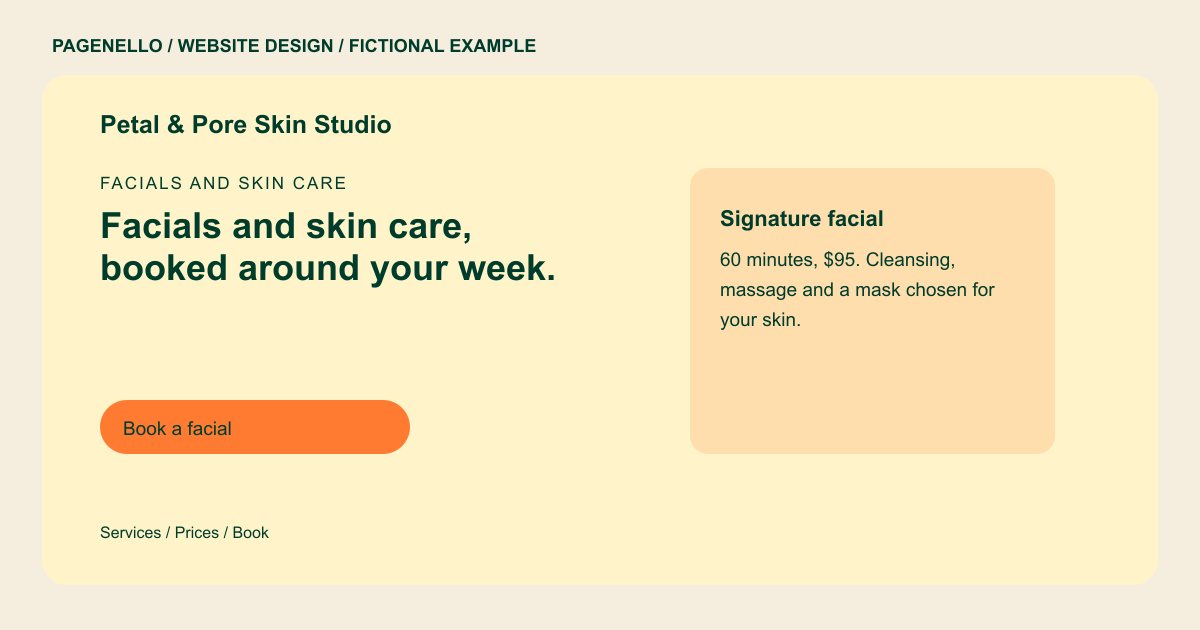
Facials and skin care
Facials and skin care, booked around your week.
Custom facials, peels and body treatments in a quiet room with soft light. Every new client starts with a short consult, so the treatment fits their skin.
Plan your skin care website
What do skin care customers look for on a website?
A first-time facial client may want to know what the appointment includes, how long it lasts and who provides it. Describe the treatments your studio actually offers, with current prices and a way to ask about sensitivities. If the menu has add-ons, explain their relationship to the appointment and keep their prices current. Introduce practitioners with training they completed and portraits they have approved. Check local rules before making treatment or licensing claims. An appointment link can take visitors to the schedule you already maintain.
| Customers look for | On your Pagenello page |
|---|---|
| What each treatment includes | Describe each treatment your studio actually offers, including its duration and current price. Keep the menu consistent with the appointment service and avoid promising a particular result. If the appointment includes an optional add-on, describe its price and duration in your own menu. Keep those details aligned with your scheduling service so a client can ask about the same selection when contacting the studio. If a treatment requires a consultation first, describe how your studio arranges that conversation. A client can then ask the practitioner about the appointment before choosing an option from the existing calendar. |
| Who does the treatment | Introduce the practitioner with a portrait you can publish and the training and credentials you supply. Check local rules before displaying a license or advertising a treatment. Introduce each practitioner with information they have approved and credentials you can verify. If you show treatment photos, check permission and the advertising rules that apply to your location. Captions should describe the service shown without promising a particular outcome. A practitioner introduction can name the services they personally provide and the training they have completed. Publish only credentials you can substantiate and check your state board’s rules before describing the scope of practice. |
| Open times and booking | Show the days your studio is open and connect the appointment label to the service menu you already maintain. Mention appointment-only hours if that reflects your practice. If the studio schedules treatments by practitioner, explain how a visitor can ask who performs a particular service. Keep the appointment menu consistent with the names and treatment descriptions your team uses. |
| Questions before a treatment | Explain how someone can ask your studio about preparation or sensitivities before a treatment. Use the guidance your practitioner provides rather than general medical instructions. Explain whether you offer a consultation and how a client can contact you with questions beforehand. Use the preparation guidance your own studio gives, without suggesting a treatment is right for every visitor. A client considering a first appointment may want to discuss an ingredient or an existing sensitivity privately. Give them a direct contact for that conversation, and leave treatment recommendations to the qualified practitioner. |
| Where to find you | Give your current address, a map link and any useful parking note. Offer a phone or email route for a client who wants to ask a question first. If the studio is inside a shared building, give the entrance or suite directions you use with new clients. Explain how someone can contact the practitioner if they have trouble finding the room. |
Which tools can my page link to?
If you already use an appointment service, the page can link to its treatment menu or calendar. A phone or email button offers another route for questions about a first visit. The scheduling provider handles its own appointments and any client information; a new booking system is outside the package.
What does it cost?
$590 once. The first look is free. A longer facial and treatment menu can live on a separate page for $190. The $149 profile setup covers your Google business listing; your studio must verify it with Google and provide Pagenello manager access.
See the complete pricing and terms and how the first look works.
Questions from skin care owners
Can clients book through my website?
A button can open the appointment service your studio already uses. The page can also provide a phone number or email for clients who would rather ask about a treatment first.
Do I have to show my license on the page?
If your state licenses estheticians, the page can show your license number and the training behind it. If it does not, list the training you completed instead. You check the exact wording against your state board’s current rules before launch.
Can I show photos of my work?
Use only photographs you have permission to publish. Check the privacy and advertising requirements that apply to your studio, and label treatment images accurately without promising an outcome.
Can I update prices and services myself?
Price and service changes are small text edits, free for 30 days after launch. After that, Care Plus is $390 a year and includes up to two small edits a month.
How long until my site is live?
The free first look arrives within 2 business days after I receive the necessary details. The 5-business-day build starts after the deposit and materials are received; waiting for materials, feedback or approval moves the delivery date.
How can a client ask about a first visit?
Give them a phone or email contact and describe the preparation information your studio provides. If you use a separate intake service, link to it only when appropriate. Avoid suggesting a treatment is suitable for every skin type or promising a specific outcome.
