Remodeling website design: one page with your license, projects and estimates
A kitchen renovation and a home addition begin with different questions about scope, photographs and a walk-through. A remodeler page can show the projects your crew accepts, your verified credentials and the way homeowners request an estimate. Pagenello writes and designs that custom page for $590, linking to an existing request tool when appropriate. Before any payment, a free first look lets you review the top of the proposed design.
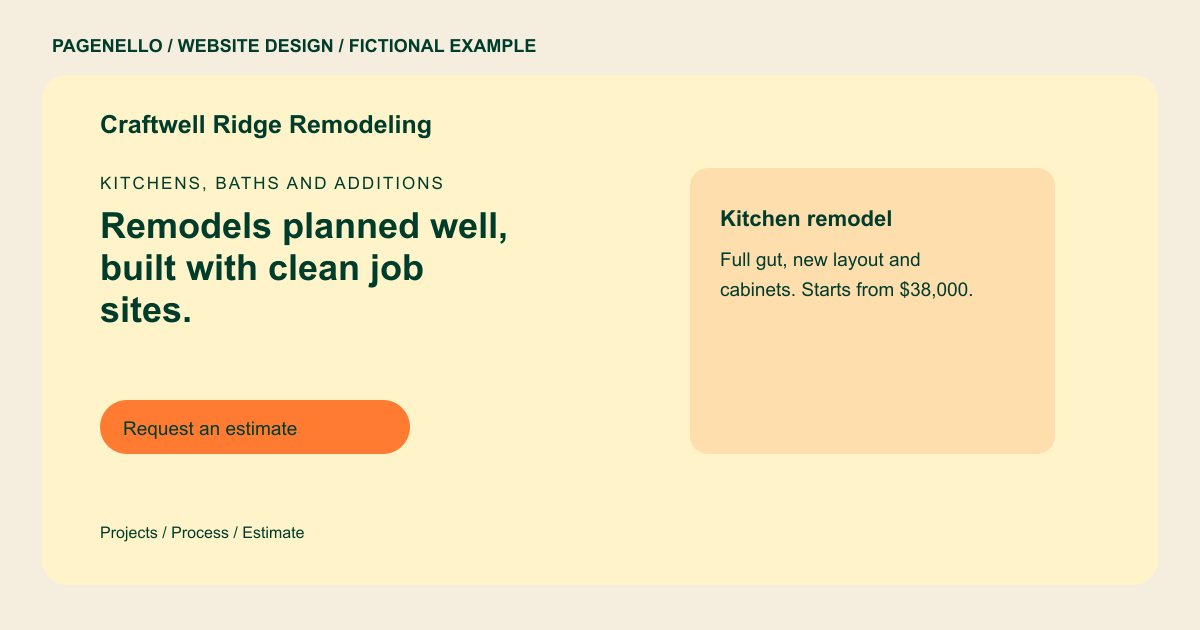
Kitchens, baths and additions
Remodels planned well, built with clean job sites.
Kitchen, bath and addition projects with a written schedule and a walk-through at every stage. Licensed and insured, license #00000.
Plan your remodeler website
What do remodeler customers look for on a website?
Homeowners planning a kitchen, a bath or an addition usually compare several contractors before they call anyone. They may check your credentials and look for photos of projects like theirs. They want to know how a job runs: the walk-through, the permits, the schedule and who is on site each day. A page that lays out that process makes it easier for a homeowner to ask for a visit. A homeowner comparing a bathroom refresh with a full addition needs to understand the projects your crew accepts. Explain what information you need before arranging a walk-through and who discusses changes to scope.
| Customers look for | On your Pagenello page |
|---|---|
| License and insurance | Your state contractor license number and the insurance you carry, written as plain text and kept current. Verify applicable advertising requirements before publishing. |
| Before-and-after projects | Photos of finished kitchens, baths and additions, each with a short note on the scope and how long the job took, so a homeowner can match their own project. Caption each permitted image with the actual room and work completed, distinguishing a partial renovation from a larger addition. |
| How a project runs | The steps from the walk-through to the final punch list: written estimate, permits, build schedule, site cleanup and the closing walk-through. Explain which permit tasks your company handles and how scope changes are discussed, using the process your team follows. |
| Starting prices | A starting point for each type of remodel, such as a bath refresh or a full kitchen, with a note that the final number comes from the walk-through. If you prefer not to publish figures, describe how the kitchen or bathroom scope is assessed before your team prepares a written estimate. |
| Warranty and after the job | What your warranty covers, how long it lasts and how a homeowner reports a problem after the work is finished, in plain terms. |
Which tools can my page link to?
Link to your existing estimate request page or a portfolio profile if those services provide shareable links. A phone action offers another route for homeowners to discuss a walk-through. Project records, contracts and payments remain in your own systems. Label the request destination for renovation inquiries.
What does it cost?
$590 once. The first look is free. A dedicated gallery for a remodeling specialty costs $190. With Google Business Profile setup at $149, you verify your company with Google and grant manager access.
See the complete pricing and terms and how the first look works.
Questions from remodeler owners
Can homeowners request an estimate from my site?
A button can link to the request page in your existing project software if that service provides a shareable link. You can also offer a phone or email action. A kitchen inquiry may start with cabinet layout and desired scope, while an addition needs a different discussion. Explain what your team wants to know before arranging a walk-through.
Should I list my license number?
You can provide verified license details for the page. Check the display and advertising rules that apply to your work and location, and update the information when it changes. If your company coordinates permits, describe the precise tasks it handles and check the rules for the project location. A homeowner should receive the actual scope and terms before agreeing to work.
Can I show prices on the projects?
If you publish a starting price, use a figure that reflects your current terms and explain what affects an estimate. You can instead describe your walk-through and quoting process without listing a price. A walk-through can begin with the rooms involved and the scope the homeowner has in mind. Describe how your team discusses the estimate, design decisions and any work assigned to another party.
Can I show the homeowner what the process looks like?
Yes. A numbered list of the steps, in the order the work happens, helps a homeowner picture the project. Keep each step to one line so it reads on a phone. When describing finished renovations, identify the rooms and work your own crew completed. If another company supplied the design or materials, use captions that make those roles clear. Obtain permission before showing identifiable details of a customer’s home.
How do I add new project photos?
Send the photos and a short scope note, and I’ll add them to the gallery. Small photo updates are free in the first 30 days after launch. After that, Care Plus at $390 a year covers small edits like these, up to two a month.
