Toy store website design: one page for your store hours, age guide and events
Help gift buyers explore your toy categories, check shop hours and find out about the activities you offer. For $590, Pagenello designs a page around your store and can connect it to an existing online shop. The first look lets you review the opening design free before payment.
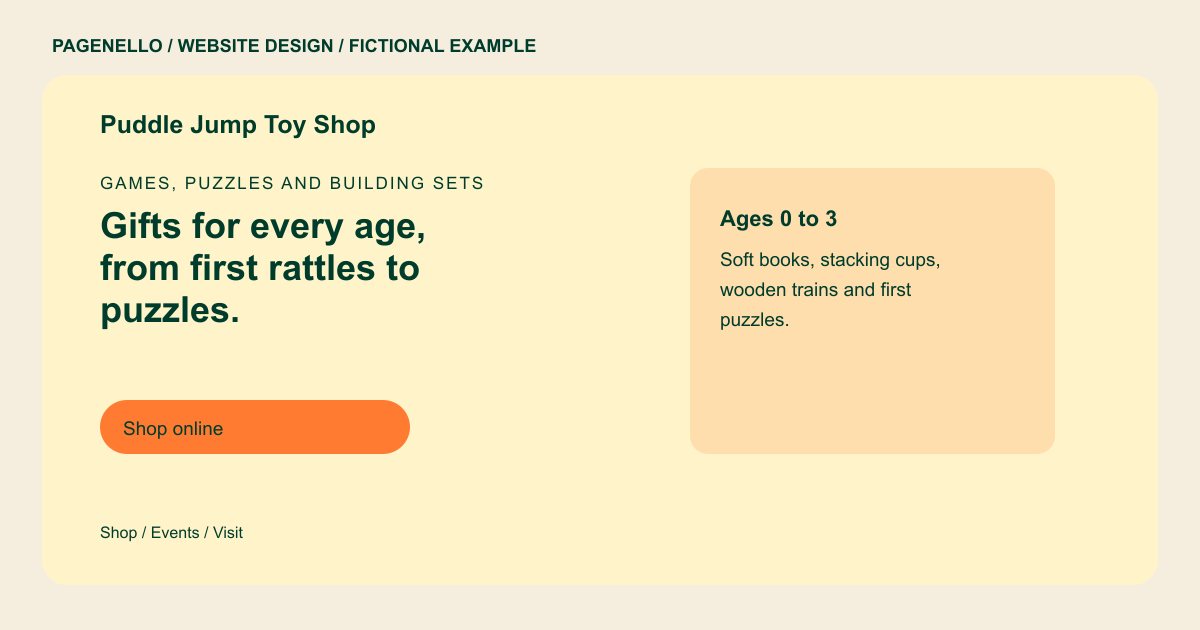
Games, puzzles and building sets
Gifts for every age, from first rattles to puzzles.
Building sets, dolls, science kits and board games, plus story time every Saturday morning. Gift wrap at the register.
Plan your toy store website
What do toy store customers look for on a website?
Parents and grandparents often look up a toy store the day before a birthday or a holiday, when they need to know whether a specific set is on the shelf and whether the store is open late. They check the age ranges you cover, whether there is a play area or a story time, and whether gift wrap is available. Teachers and daycare buyers look for classroom sets and bulk orders. The page should make the store details and the ways to shop easy to find, so a parent can plan a visit in one scroll.
| Customers look for | On your Pagenello page |
|---|---|
| Categories and brands | The categories you stock, such as building sets, dolls, puzzles and science kits, with the brands you choose to name. |
| Age guide | A simple guide from infants to tweens, so a shopper can narrow a gift down quickly without calling the store. A grandparent looking for a gift may know a child’s age but not the name of a toy. Organize the categories you actually carry with the age guidance supplied for those products. If you run story time, give its confirmed schedule and a contact for questions; keep sold items and event changes current. |
| Store hours and holiday hours | Regular hours on the first screen, with a line for holiday and special opening times. A family planning a visit might also want to know whether your store carries puzzles, building sets or games for a particular age. Invite a call for current stock. For events, give only the activities and timing your team has confirmed. If you sell gift cards, explain how they can be purchased through your existing service. Decide who will remove past events and update the store hours for holidays. This keeps a small shop introduction useful without turning it into a promise of live inventory. |
| Events and story time | Story time, birthday visits and in-store events listed with the day, time and age they suit. |
| Shop online or call ahead | A button to the online store you already run, such as Shopify or Square Online, and a tap-to-call button for stock questions. Gift buyers may also want to know whether the shop wraps presents or can answer questions about a particular game. Describe those services only if you offer them. For a story time or craft, share the confirmed age group, start time and any sign-up instructions. A photograph of the shop can show its character without implying that each pictured item remains on the shelf. If the catalog lives elsewhere, label the link so shoppers know where they will browse. Check product age recommendations and your own event schedule before publishing. Holiday opening times can be shown separately when your staff has confirmed them. |
Which tools can my page link to?
Link to your existing online catalog if you sell toys online, and give events a separate destination if they use a registration service. A call button helps shoppers ask about a particular item. The page does not create an inventory, checkout or event registration system.
What does it cost?
$590 once. The first look is free. An extra events page is $190. Google Business Profile setup ($149) completes your listing with your shop details; you verify it with Google and grant manager access.
See the complete pricing and terms and how the first look works.
Questions from toy store owners
Can customers order from my site?
If your shop already sells online, the page can link to that store. Confirm with your provider how it handles stock and checkout. The one-page package does not build a catalog, shopping cart or payment system.
Should I list every brand?
Choose the brands and product categories that help a visitor understand your assortment. If a line is seasonal, describe it accordingly and make it easy for shoppers to ask about a specific item. An existing online catalog can hold a longer list.
Can I promote events and classes?
Yes. Share confirmed dates, the age group and any registration instructions for your own story times or workshops. If a separate event service handles sign-ups or tickets, a button can lead shoppers to the relevant listing.
How do I keep hours and events current?
Small text and photo updates are included for 30 days following launch. After that, Care Plus is $390 a year for up to two small edits a month, including seasonal hours and menu changes. Ask whether your proposed event edits fit that scope before arranging them.
Is one page enough for a toy store?
One page can introduce your toy categories, store details and upcoming activities. Decide which information needs a regular update and whether you already have a catalog elsewhere. An extra page in the same design costs $190 when you need more space.
