Computer repair website ideas for a clearer drop-off
A computer repair website can show which devices a shop accepts, explain the first step and make it easy to arrange a drop-off. The fictional Tinker Bench example illustrates one way to organize those choices. Use the ideas below to reflect your actual services, policies and opening hours.
Want a page designed for your business? See the top of your own page free before paying.
By Luis Junior
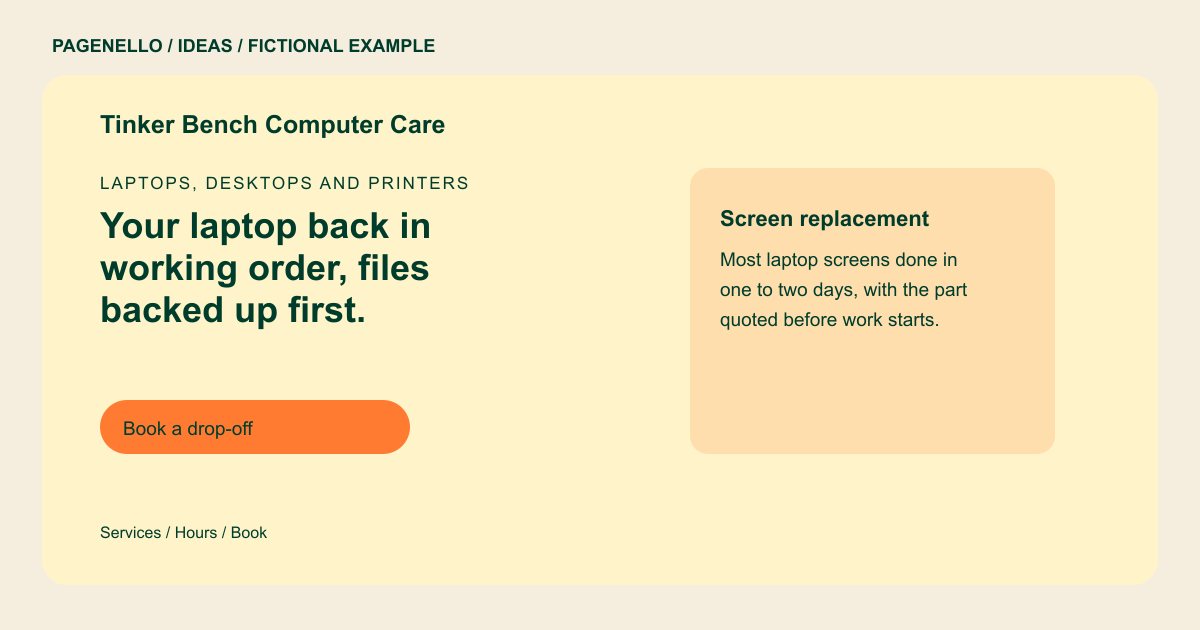
Laptops, desktops and printers
Your laptop back in working order, files backed up first.
Screen and battery replacement, malware removal and data recovery for home and office machines. Drop in during shop hours or book a time.
Start with the problem a customer recognizes
A person with a cracked screen may not know the technical name of the part. The sample presents screen replacement alongside malware removal and data recovery. Choose the jobs you actually accept and explain any device or model limitations near that list.
Make the handoff visible
Tinker Bench displays buttons labeled for drop-off booking and checking a ticket. For a walk-in shop, put the address and opening hours close to the visit instructions. A mobile technician could instead name the service area and explain how to arrange an appointment.
Set expectations without guessing
Use your own diagnostic fee, approval process and turnaround estimates only when they reflect your current policy. Explain what customers should do about backups and sensitive files before handoff, without promising a successful recovery. Your own intake instructions can distinguish a shop appointment from a walk-in visit. If you offer ticket updates through another service, test that link and explain what information the customer needs to use it.
Computer repair shops: ideas
| Idea | Use |
|---|---|
| Device-led navigation | Group laptop, desktop and printer work by device if that is how customers describe their needs. Remove a category if you do not service it. |
| A repair decision path | Put a short description beside each common job, then lead to a call or drop-off request for diagnosis. |
| Existing ticket lookup | Keep a separate status button for returning customers and point it to the repair system you already use. |
| A shop visit panel | Show the entrance, hours and parking directions where they are useful, with a map link for people bringing a computer in. |
| Data-handling explanation | Describe your real intake and backup policy in plain language. Avoid asking visitors to send passwords or sensitive files through a general contact link. |
Questions about computer repair websites
Is Tinker Bench an actual repair shop?
No. It is a fictional example made to demonstrate a possible layout and is not a Pagenello customer. Use your own shop details and services when adapting the idea.
Can a customer check an existing repair ticket?
A button can link to your existing ticket portal. A new ticket-management system is outside the one-page package. Customers follow your shop’s usual process to see the status.
Should I put repair prices on the page?
If your fees are consistent, list them with any conditions. For jobs that require diagnosis, explain how you quote before work begins. Keep the diagnostic fee and any exclusions clear to customers.
What if I only offer on-site support?
Replace the shop visit panel with the areas you serve and the way customers arrange a visit. Describe remote support separately if you provide it.
