Computer repair website design: one page with your services and drop-off details
A computer repair shop’s site has to say what you fix, how long a common job takes and how to drop a machine off without a long phone call. Pagenello builds that as one custom page for $590, written for your shop and linked to the booking or ticket tools you already run. A free first look at the opening section of the page comes before you pay.
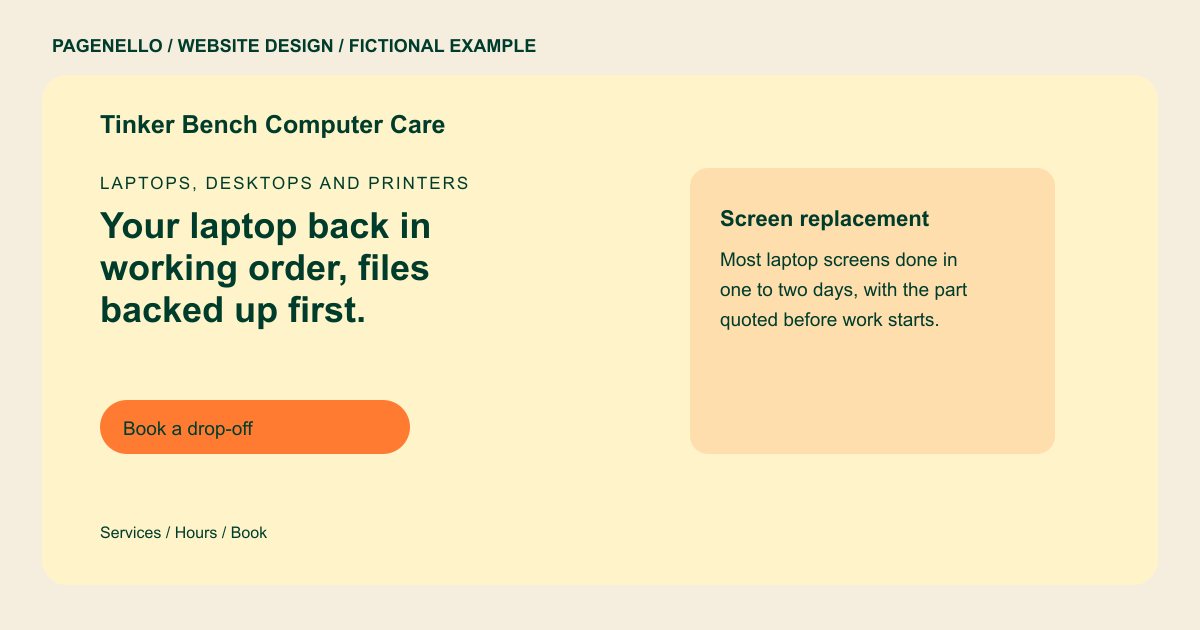
Laptops, desktops and printers
Your laptop back in working order, files backed up first.
Screen and battery replacement, malware removal and data recovery for home and office machines. Drop in during shop hours or book a time.
Plan your computer repair website
What do computer repair customers look for on a website?
People searching for computer repair usually have a machine that won’t start, a screen with lines across it or a laptop that just filled with pop-up warnings. They want to know whether you handle their brand and their problem, whether you fix it while they wait or keep it for days, and whether you back up their files before you touch anything. Home offices and small businesses also ask about a fixed price for a common job. A page with no services listed and no drop-off hours can make those details harder to find.
| Customers look for | On your Pagenello page |
|---|---|
| Services in plain words | A list of what you fix, such as screen and battery replacement, malware removal, data recovery, upgrades and network setup, each on its own line. A customer with a swollen battery may need different instructions from someone asking for a desktop upgrade. Separate the jobs you accept from devices you do not service, and give visitors a way to ask about an unfamiliar issue. If diagnosis precedes a quote, explain the handoff in your own terms rather than making a blanket turnaround promise. For a screen replacement, mention whether you inspect the machine before ordering a part and how a customer approves the quote. |
| Brands and devices | The brands and device types you service, such as Windows PCs, MacBooks, Chromebooks and printers, so the right person takes the call. |
| Turnaround and pricing | A typical turnaround for common jobs, a diagnostic fee and a note that the final quote follows a check. |
| Drop-off and pickup | Shop hours, what to bring such as the charger and passwords, and how pickup and payment work. |
| How your data is handled | A plain line on how you back up customer files before a repair and what you do with drives you swap out. |
Which tools can my page link to?
Your page can link to a repair ticket lookup, a drop-off calendar or a payment page if your existing services offer them. Customer records remain in the systems you use. Include a call button for someone who needs to ask whether you accept their device.
What does it cost?
$590 once. The first look is free. The Google Business Profile setup ($149) shows your hours and phone number on Google Maps for customers looking for a quick fix. A separate page for business IT services, such as network setup or managed support, is $190.
See the complete pricing and terms and how the first look works.
Questions from computer repair owners
Should I list prices for every repair?
List starting prices for common repairs and your diagnostic fee, then explain that a final quote follows a check. For data recovery, describe your process without promising every file can be recovered. Tell customers whether to bring a charger, and avoid requesting passwords through a general email link.
Can customers check their repair status from the site?
The page doesn’t track repairs itself. The button points to the ticket lookup your shop system provides, so customers see updates the same way your staff sends them.
What should I say about customer data?
Write down the steps you take before a repair: backing up files, how you handle a passcode, and what happens to drives you replace. Say it plainly. Customers who leave a laptop full of personal files want to know what happens to them.
Do I need to name the brands I repair?
Yes. A short list of brands and device types helps a customer know you handle their machine before they drive over. Name only the brands you service regularly, since a brand you rarely touch can send people to the wrong drop-off.
Is one page enough for a computer repair shop?
One page can introduce walk-in repairs and your drop-off process. If business IT needs more explanation, an extra page in the same design is $190; choose the scope that fits your shop.
