Dentist website design: one page with services, new patient steps and booking
Help prospective patients find your dental office, understand the services you provide and contact your team. Pagenello designs and writes a custom page for $590, with your practice details and a link to the appointment service you use. You can review the top of the page free before deciding whether to pay.
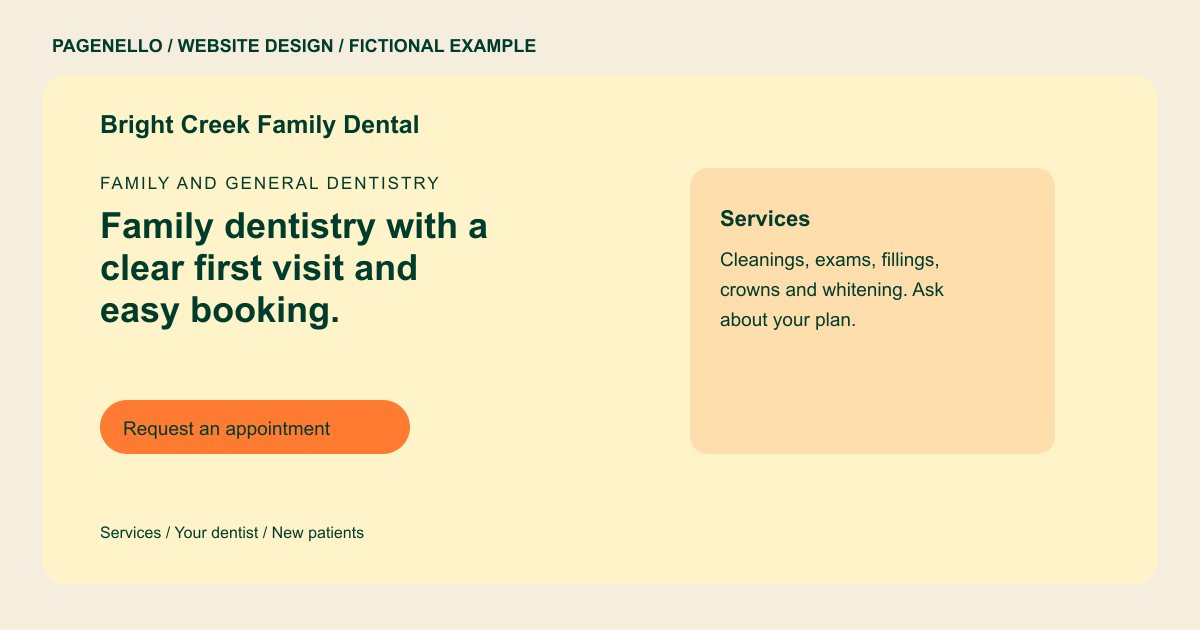
Family and general dentistry
Family dentistry with a clear first visit and easy booking.
Cleanings, checkups, fillings and crowns for children and adults. New patients are welcome, and we list the plans we accept.
Plan your dental practice website
What do dental practice customers look for on a website?
Patients searching for a dentist are often choosing a new office after a move, a change of insurance, or a tooth that needs attention soon. Before they call, they check whether you are taking new patients, whether their plan is accepted, who the dentist is, and what a first visit involves. A page that buries those answers, or asks for health details up front, makes the call feel like a gamble. A new patient may also want to know how to reach the office before sharing private information.
| Customers look for | On your Pagenello page |
|---|---|
| Services | The services you offer in plain words, such as cleanings, exams, fillings, crowns and emergency visits, and the ones you refer out. Describe the appointments your office actually offers and identify services referred elsewhere. If people need to speak with the front desk before choosing a visit, give them a clear route to ask. Keep treatment descriptions factual and review professional advertising rules relevant to your practice before publication. |
| Who the dentist is | The dentist’s name, degree and any license or certification details you hold, with the issuing body where appropriate. Check the disclosures required for your practice and location. Introduce the clinicians who actually see patients at the office, using the names and professional titles they provide. If a practitioner has a particular area of practice, describe it accurately and check whether the terminology is permitted where the office operates. A short introduction can help someone identify whom they may meet without suggesting a treatment outcome. |
| Insurance and payment | List the plans your office accepts and the ways patients can pay. Invite each patient to confirm their own benefits with the insurer before treatment, since a listed plan does not establish coverage for an individual visit. If you discuss payment arrangements, describe the options your practice actually makes available. |
| New patient steps | Explain how someone becomes a patient at your practice, from contacting reception to finding your office. If you ask for paperwork before an appointment, direct people to the patient portal your office already uses. Do not request a medical history through ordinary email. Let patients know whom to call with questions about documents, accessibility or their appointment. |
| Hours and urgent calls | Office hours, what a patient should do about a dental emergency outside those hours, and a tap-to-call line for urgent calls. |
Which tools can my page link to?
If your office uses an online scheduling service or patient portal, your page can link to it. Tell patients which destination handles appointments and which one handles intake. The Pagenello package does not build a health-history form or collect patient records.
What does it cost?
$590 once. The first look is free. A services and prices page in the same design costs $190. Google Business Profile setup costs $149; you verify the listing with Google and grant Pagenello manager access.
See the complete pricing and terms and how the first look works.
Questions from dental practice owners
Can patients book from the site?
An appointment button can open the scheduling service your office already uses. Patients can also call your front desk. A new scheduling system is outside the one-page package.
Can the page say which insurance plans I accept?
It can, as a list you keep current. Plans change often, so say that coverage is confirmed with the plan before treatment. The page never promises what a plan will pay.
Can new patients fill out health forms on the site?
The package does not include a health-information form. If your office uses a patient portal, provide its link and direct intake questions to your staff.
Can the page list my credentials?
Give me the clinician names, degrees and credentials you hold, along with any license information you choose or need to display. Check the rules applicable to your practice.
Should I add a page for each treatment?
Not for most practices. A short list of services on the main page answers the first question. A services and prices page with more detail is $190.
How can I prepare a first-time patient for an office visit?
Tell new patients how to reach the front desk, where to find the office and what to bring. Link to your existing patient portal for forms instead of requesting medical details by general email. Include your practice’s procedure for urgent questions outside office hours, and review the instructions with staff.
