Personal chef website design: one page with your menus and how a visit works
Let guests picture an in-home dinner or weekly meal service through menus and details drawn from your own cooking. Pagenello creates your custom page for $590, including a way to inquire about dates and ingredients. Its free first look covers the top before you pay.
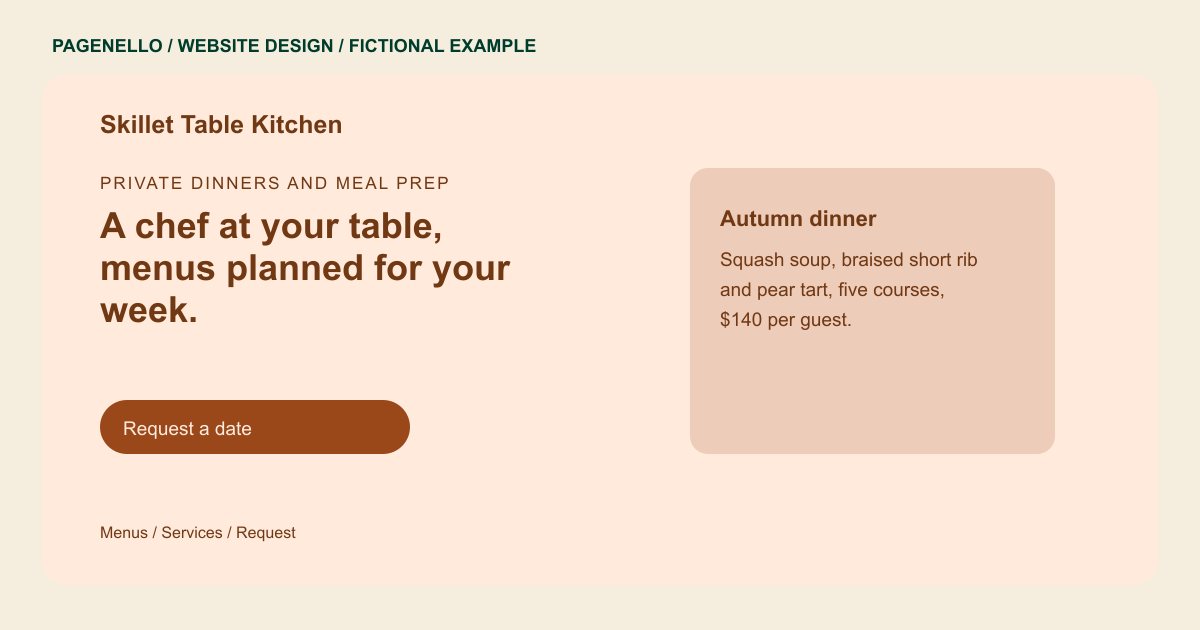
Private dinners and meal prep
A chef at your table, menus planned for your week.
Seasonal private dinners, weekly meal prep and dinner parties for up to ten guests. Gluten-free and dairy-free menus on request.
Plan your personal chef website
What do personal chef customers look for on a website?
A personal chef’s clients may be planning weekly dinners or a meal served at home for a special occasion. Show sample menus and the dietary needs you cook for, such as gluten-free or dairy-free. Explain whether you shop, cook in the client’s kitchen or bring prepared food, and how guests can ask about ingredients and group size. Distinguish an in-home dinner from meals prepared for the week, and say whether grocery shopping and kitchen cleanup are part of your service.
| Customers look for | On your Pagenello page |
|---|---|
| Menus and dietary requests | Show a sample dinner or weekly meal-prep menu that reflects your cooking. Explain how a guest can ask about ingredients, dietary restrictions and cross-contact. State which arrangements you can actually offer, and discuss individual needs before agreeing to a menu. A sample menu could describe the courses for a dinner party or a selection of meals prepared for the week. Label the dishes as examples if the final menu changes with the occasion. Explain who purchases ingredients and whether the household provides storage containers, using the arrangements you actually offer. Discuss restrictions and cross-contact directly before accepting a booking. |
| What a visit includes | Describe whether you plan the menu, shop for ingredients, cook in the client’s kitchen and clean the workspace afterward. A private dinner and weekly meal prep may have different arrangements. Include only the services you actually provide and explain how guests can ask about their occasion. |
| Ingredients and dietary conversations | Invite guests to discuss allergies and ingredient restrictions directly before a menu is agreed. Describe your own preparation process accurately, including any limitations you can confirm. Avoid suggesting an allergen-free kitchen or making health claims you cannot substantiate. |
| Pricing and minimums | A starting price per visit or per guest, plus any minimum, shown on the page or linked from a short price sheet. |
| How to request a date | A button to email, call or message you on WhatsApp, with a response expectation only if it reflects your actual practice. Ask guests for the date, number of diners and type of meal when they inquire. For an in-home dinner, describe how guests discuss kitchen access, serving arrangements and cleanup. A household interested in weekly meals may instead want to ask about storage containers and reheating instructions. |
Which tools can my page link to?
Link to your existing sample menu, consultation calendar or payment service if you use them. A direct email or phone button gives guests a way to discuss the occasion and dietary requests. Confirm details of ingredients and preparation with each guest through your own process. The website does not create a booking or payment system.
What does it cost?
$590 once. The first look is free. An extra menu page costs $190 and can make room for your sample dinner courses or weekly meal-prep choices. Label changing dishes as examples and give guests a way to discuss ingredients, group size and the cooking location.
See the complete pricing and terms and how the first look works.
Questions from personal chef owners
Can I list my prices on the page?
Yes. A starting price per visit or per guest works well, because clients usually want a rough number before they ask. Add a line on minimums and on what the price includes. Price changes are a single edit, and text tweaks cost nothing in the first 30 days after launch.
Can I show photos of my plated dishes?
Use photographs of dishes you prepared and have permission to publish. Choose images that represent the meals you actually offer, and update them when a seasonal menu changes. Small photo edits are included for 30 days after launch.
Can I cook for allergies?
List the diets you cook for and the ones you decline. Keep the claims to what your kitchen does, such as planning each menu with the client before cooking. Avoid allergen-free or medical promises.
Is one page enough for a personal chef?
For a chef with three or four service styles and a few sample menus, yes. Once the menus fill several screens, a separate menu page is $190.
Can you write the menu descriptions?
Yes. I start from your menus and your own description of the food, then write the lines in your voice. You approve each line before the page goes live, and later changes go through one edit.
