Farm website design: one page with what you grow, opening days and how to buy
A farm website has to say what you grow or raise, when the stand or farm is open and how to buy, all on the first screen of a phone. Pagenello turns that into one custom page for $590, with your products in your own words and links to the pre-order or market tools you already run. A free look at the first screen comes before any payment.
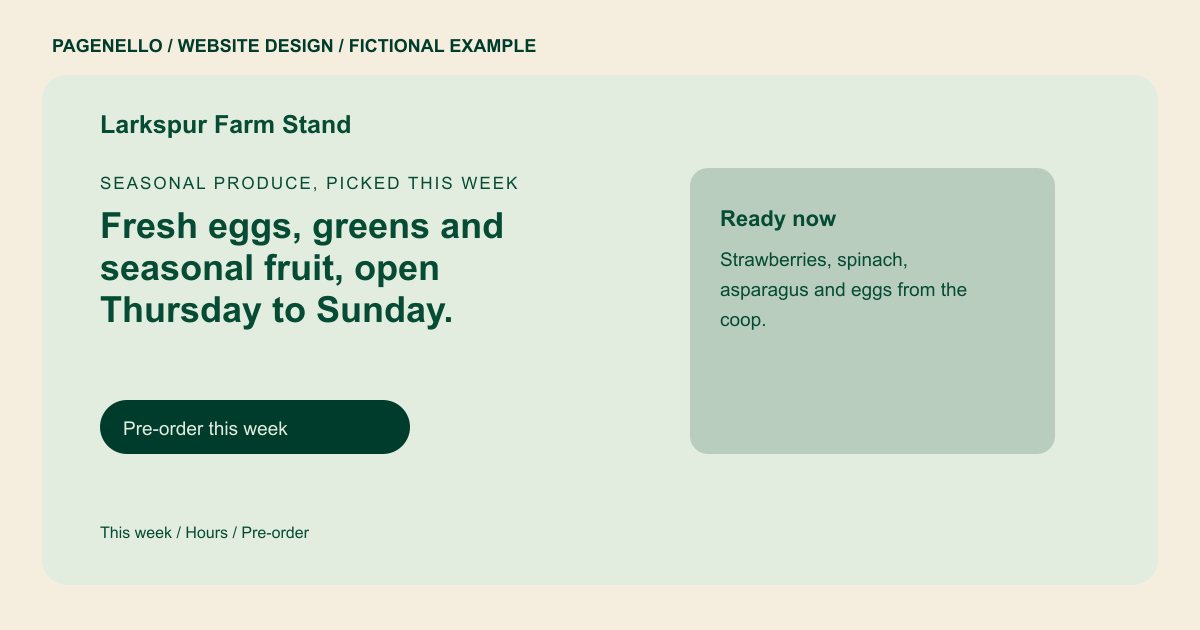
Seasonal produce, picked this week
Fresh eggs, greens and seasonal fruit, open Thursday to Sunday.
Picked the morning you buy it, with a short list of what is ready this week. Pay by card at the stand or pre-order ahead.
Plan your farm website
What do farm customers look for on a website?
A customer planning a stop may want this week’s produce, opening days and accepted payment methods. If you offer pick-your-own visits, explain the crops and conditions for the season. CSA members might need a different route to pickup information. For a seasonal stand, list the months you expect to operate and a contact for confirming the first day. If rain changes field access, explain where the latest notice will appear. Choose a list your team can keep current and give visitors a way to ask about availability before making the trip.
| Customers look for | On your Pagenello page |
|---|---|
| What is growing or in season | Date a short list of crops and products available this week. If the harvest changes quickly, explain how shoppers can check with your farm before visiting. Photos of the stand, produce or fields can make directions and offerings easier to recognize. Use images you have permission to publish and caption them accurately. When an image shows a previous season, avoid suggesting it represents the current harvest or a guaranteed quantity. |
| Opening days and hours | State your actual stand hours and seasonal opening dates. Include a contact for weather closures or holiday changes when those affect your operation. If you publish separate hours for the roadside stand and field visits, label each schedule clearly. Visitors can check the activity they intend to attend before leaving home. |
| Pick-your-own and visits | Describe pick-your-own crops or farm visits only if you offer them. Mention what visitors should bring and how you announce field conditions. A visitor bringing children may want to know whether pick-your-own is offered, what containers are supplied and where to park. Describe those details only for activities your farm actually runs. If access or hours vary by crop, invite visitors to check the current field conditions before traveling. |
| How to buy | List accepted payment methods and link to your existing preorder service if you use one. For CSA members, identify the pickup location and a contact for questions. If your farm sells shares, describe where members collect them and direct signup questions to the service or person responsible. Restaurant buyers may need a different contact for larger quantities. State your actual ordering arrangements and avoid implying that a crop is available throughout the season. |
| Finding the farm | Use your own directions to the stand, a map link and practical parking notes. If the entrance is easy to miss, describe the landmark your team recommends. If the farm entrance differs from the pickup point, describe the route a driver should take after turning in. Give visitors a contact for asking about parking a larger vehicle when that matters. |
Which tools can my page link to?
If you use a preorder or CSA signup service, the page can link to the place where customers already order. Share your stand’s hours and contact details alongside it. Orders and payment remain with your existing provider, and building a new store is outside the package.
What does it cost?
$590 once. The first look is free. A longer crop list or farm event guide can have its own page for $190. The Google listing setup add-on is $149; your farm verifies the listing with Google and gives Pagenello manager access.
See the complete pricing and terms and how the first look works.
Questions from farm owners
Can I change the weekly list of what I grow?
The produce list can appear as text. Small text and photo changes are included for 30 days after launch. After that, Care Plus is $390 a year and covers up to two small edits a month. If the list changes weekly, discuss a separate arrangement for the frequency you need.
Can buyers purchase from my site?
The page can link to the ordering service your farm already uses. Orders remain with that provider; a new online store or ordering system is outside the package. Explain pickup times only when they match your actual operation.
Do I need a separate page for pick-your-own?
Usually not. A short section with the dates, hours and rain plan works on the main page. If you run a full calendar of events, tours or classes, that fits better on its own page, $190.
Will the page show how to find the farm?
I can add a map link and the directions you supply, including an entrance or parking note. Google Business Profile setup is available separately for $149; the business owner must verify the listing with Google and grant manager access.
Can you use photos from my farm?
Your own photos do the most for a farm page, with captions that say what is in each shot. If you have no photos of this season yet, I use a clearly labeled placeholder until you send some, not a stock picture of a farm you don’t run.
How can visitors check a weather closure?
Publish your actual procedure for announcing changes, such as a phone number or a link to the channel your team maintains. If the stand closes when fields are too wet, explain how a visitor can check before leaving rather than promising conditions in advance.
