Therapist website design: one page with your licenses, specialties and booking
A prospective therapy client can use your page to check the people you serve, your credentials, payment details and contact options. Pagenello presents the practice information you provide on one custom page for $590. Review its opening through a free first look before you decide to proceed.
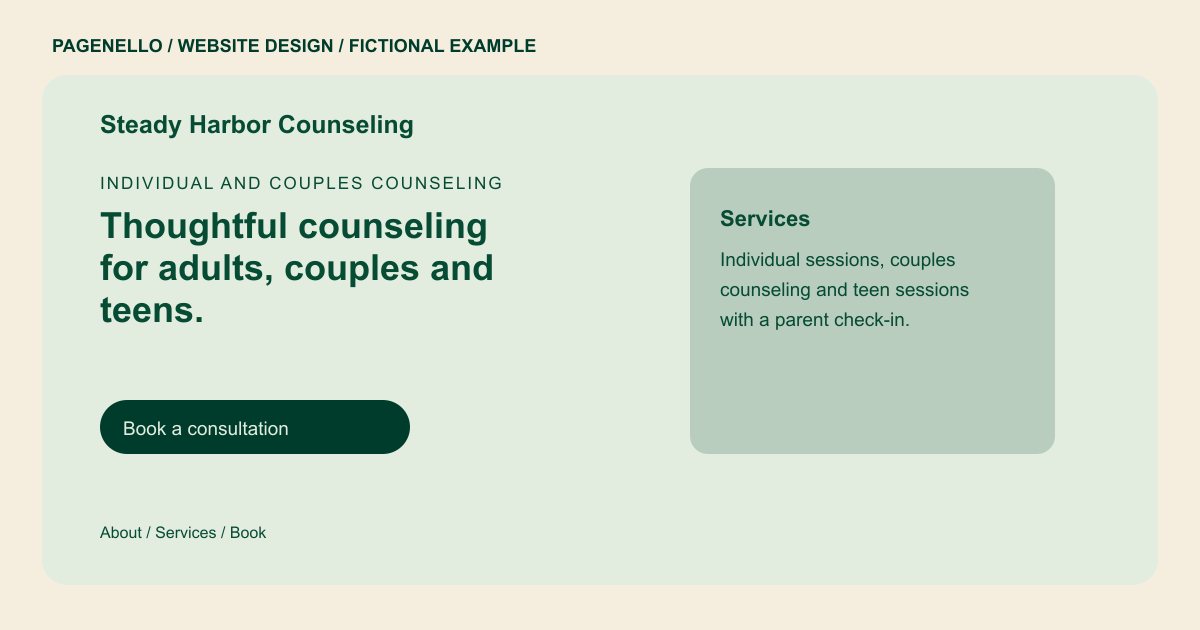
Individual and couples counseling
Thoughtful counseling for adults, couples and teens.
Sessions in person or by video, with a short consultation call before you decide. Licensed clinical professional counselor, license #00000.
Plan your therapy website
What do therapy customers look for on a website?
Someone looking for a therapist is often deciding about something private, and they are reading on a phone late in the day. They check whether you hold the license their state requires, whether you work with the concern they have, whether sessions happen in person or by video, and whether they can afford you with insurance or out of pocket. A clear introduction can identify the clinician and the credentials they choose to share. Calm, plain language lets them take the next step on their own terms.
| Customers look for | On your Pagenello page |
|---|---|
| Your license and credentials | Your license type and state, your degree, and any board certification, listed exactly as you hold them. The license number can sit in the footer if you choose to show it. A visitor deciding whether to inquire may compare session formats, payment arrangements and the people a practice serves. State the details you can verify and give a straightforward route to an initial conversation. Check that your professional titles and the geographic scope of video sessions match your actual practice. |
| What you work on | The concerns and client groups you see, such as anxiety, couples or teens, each named in plain words. Describe the work you do without promising a result. |
| Session formats and fees | Whether sessions are in person, by video or both, how long a session runs, your fee, and whether you take insurance or offer a sliding scale. |
| What to expect and how urgent calls work | A short section on what a first session looks like and how confidentiality works, plus your practice’s policy for urgent calls, written in your own words. |
| How to reach you | Tap-to-call, email and WhatsApp buttons, plus a link to the booking page you use for consultations. |
Which tools can my page link to?
Your page can link to a scheduling service and directory profile you already maintain. Describe your current in-person and video options without putting sensitive clinical details on the public page. Your practice chooses and manages any patient portal; the page does not build one or collect intake forms.
What does it cost?
$590 once. The first look is free. Google Business Profile setup ($149) completes an eligible practice listing; you verify it with Google and grant manager access. Care Plus ($390 a year) includes up to two small edits a month.
See the complete pricing and terms and how the first look works.
Questions from therapy owners
Should I put my license number on the site?
That is your call. Some therapists show the license type and state, and others add the number in the footer. I only show what you send me, exactly as your board lists it, so the page matches your public record.
Can I describe the problems I treat?
Yes, in plain words. Visitors look for a match in the first screen, so name the concerns and client groups you work with, and describe your approach without promising a result.
Should I show insurance?
If you want to discuss payment, provide the plans you have confirmed, self-pay fees or sliding-scale arrangements that actually apply. Explain how a prospective client can check their own benefits with the insurer before an appointment.
Can clients book a session on my site?
A visitor can follow a link to your existing appointment service, or contact your office through the methods you choose. Review those services and contact routes against the privacy and professional rules that apply to your practice.
Should I use WhatsApp for clients?
That is your choice. If your practice prefers phone and email only, the page can leave the WhatsApp button off, and nothing else on the page needs to change.
Can I add a note about urgent calls?
Yes. Write your policy for urgent situations in your own words and place it near the contact buttons. I don’t write clinical or legal policy for you, so have your practice’s own text checked before it goes live.
