Electrician website design: one page with your services, license and booking
Homeowners and businesses searching for an electrician want to know that you are licensed and insured, which jobs you take, how soon you can come out, and how to call you. Pagenello builds that as one custom page for $590, with your license details written in and a call button near the top. A free first look at the top of the page comes before you pay.
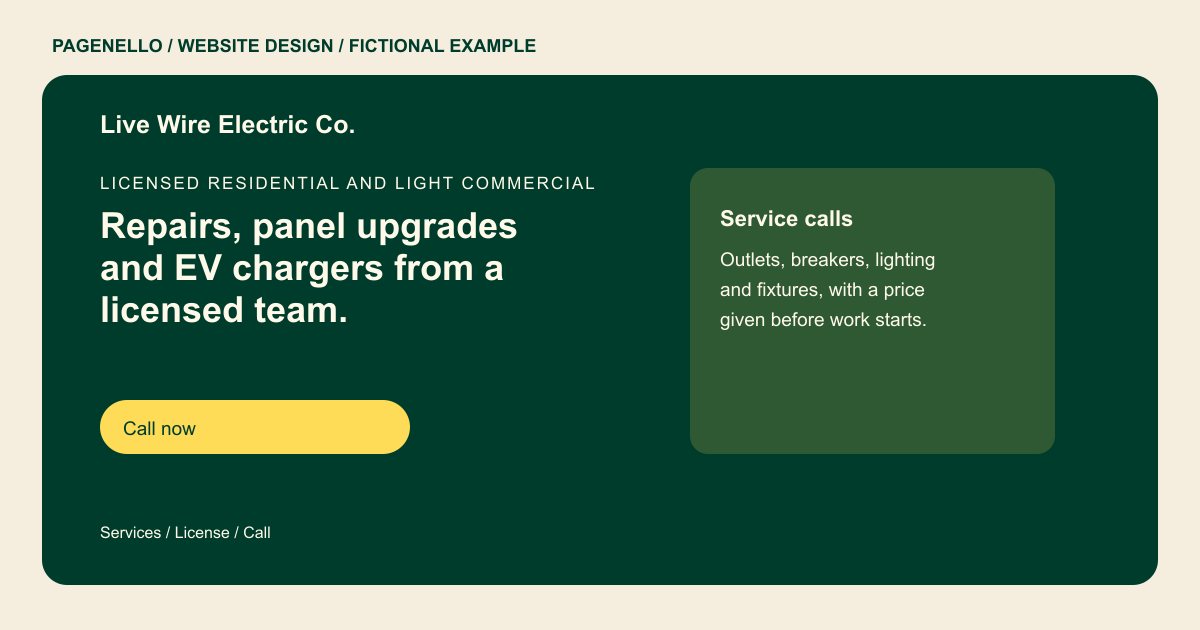
Licensed residential and light commercial
Repairs, panel upgrades and EV chargers from a licensed team.
Call for same-day service when a visit is possible. License #00000, fully insured, with a price given before any work starts.
Plan your electrical website
What do electrical customers look for on a website?
A homeowner planning a panel upgrade and a property manager arranging lighting repairs need different information. Name the jobs your team accepts, the areas it serves and how to reach the office. Explain how to request a quote if a visit is needed. Describe the facilities your crew works in and distinguish urgent-call hours from ordinary office hours when they differ. Include license and insurance details you can substantiate, and check local display requirements. If your team handles permit applications, explain your role without implying that every project follows the same rules.
| Customers look for | On your Pagenello page |
|---|---|
| Licensing and insurance | Your state license number and insurance details as text, so a client can check them before the first call. Supply the issuing authority and current details you want shown; verify which disclosures apply to your work and location. |
| The work you take on | Your services in plain words, such as service calls, panel upgrades, EV charger installs and generator hookups. Separate lighting repairs from panel work or charger installations so a visitor can recognize the job they need. When a project needs an inspection before pricing, explain what the customer can share during the first conversation. A property location, the type of work and a preferred contact method give your office a starting point. Do not quote a completion date until your crew has assessed the work and confirmed its schedule. For an installation photograph, identify the kind of work shown and use only images the property owner has allowed you to publish. Keep the caption focused on your crew’s contribution. |
| Urgent calls | A clear line for urgent calls and the hours you answer them, so a homeowner with a dead outlet knows who to call. If the office has different hours for urgent requests, explain those hours and the contact route you actually monitor. |
| Service area | The towns or counties you cover, as a list, so a client outside your area does not call first. Describe the communities your crew visits and how someone outside the listed area can ask about availability. A service-area description should match the locations your team actually covers. If availability differs by town or type of job, tell visitors how to ask the office. Keep your published license and insurance information current, and verify what your state or municipality requires for advertising. |
| Photos of finished work | Photos of panels, lighting and chargers you have installed, with a short note on the type of job. Caption your own installation photos with the work performed, without implying an endorsement by a manufacturer. For project photos, describe the installation your company performed and secure the necessary permission to publish. If equipment from another manufacturer is visible, avoid suggesting an official relationship unless you can document one. A brief caption can identify whether the image shows lighting, a charger or a panel. When a property manager calls about lighting, the building location and description of the affected fixtures can help your office route the request. Explain what information your team finds useful. |
Which tools can my page link to?
A call button can put a homeowner in touch about a service visit. If you already use a scheduling or estimate service, the page can link to its request screen. Your dispatch and billing stay with that provider; Pagenello does not build a new dispatch system or take payment for electrical work.
What does it cost?
$590 once. The first look is free. Give a detailed panel upgrade or charger installation description more room with an extra page at $190. The $149 Google Business Profile setup requires you to verify your listing and give Pagenello manager access.
See the complete pricing and terms and how the first look works.
Questions from electrical owners
Should I show my license number on the page?
Yes, as text, exactly as it appears on your license. Clients often check a license before they hire, so a number they can search for builds confidence. I only add what you send me, and I will not write a license or insurance claim that you cannot back up.
Can customers book a service visit from the site?
An estimate button can open the request or scheduling service your business already uses. Jobs and payments remain with that provider. Building a new dispatch or booking system is outside this package.
Can I list emergency service?
Yes, with the hours you answer urgent calls and the number to use for them. The page should not promise a response time, since that depends on the schedule and where the job is.
Do I need a separate page for each job type?
One page covers your core services, license, service area, photos and a call button. A page for each specialty, like panel upgrades or EV charger installs, is $190 each, if you want to explain one job in depth.
What does it cost to keep the site up to date?
The first year of Hosting & Care is included. After that, renewal is optional at $149 (first 5 founding clients receive year two at no charge; renewal requires consent) a year. Care Plus costs $390 a year and covers up to two small edits a month, along with seasonal hours and menu updates and keeping your Google Business Profile in sync.
How should I explain a service visit?
Describe how someone reaches your office, the areas you cover and whether you need to inspect the job before quoting. For a planned panel upgrade, invite the owner to share the project location and the work they have in mind. Publish only the response hours your team can support.
