Church website design: one page with service times, directions and ways to give
Welcome newcomers with your congregation's worship times, entrance directions and children's program details. Pagenello writes and designs a custom church page for $590, with links to your existing stream and giving service. Your free first look shows the opening of the design before any payment.
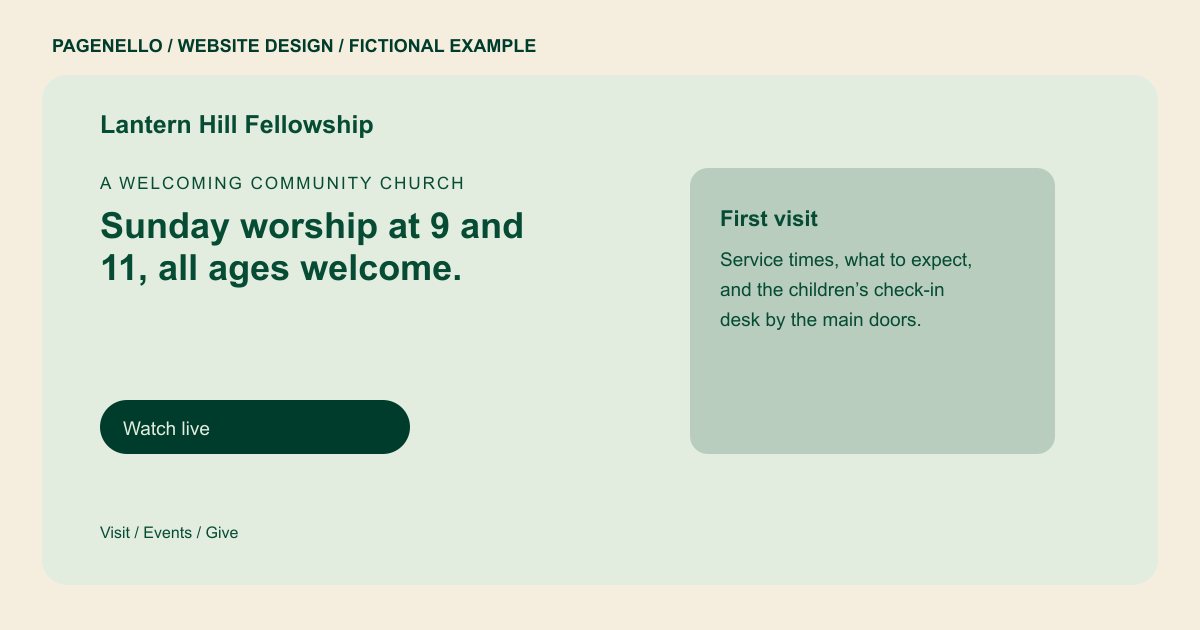
A welcoming community church
Sunday worship at 9 and 11, all ages welcome.
Come as you are for worship, kids’ programs and coffee after the second service. First-time visitors can find the entrance and parking below.
Plan your church website
What do church customers look for on a website?
Someone visiting a church for the first time may look for service times, children's programs, the entrance and what to expect at worship. Members may need the livestream, an event calendar or small group information. Explain directions from parking to the worship entrance and offer a contact for accessibility questions. Describe children's check-in if your congregation offers it, and link to the calendar or stream your team already maintains.
| Customers look for | On your Pagenello page |
|---|---|
| Service times and the first visit | Service times in the first screen, with a short note on what a first visit is like and whether children’s programs run during the service. Name the regular worship gatherings and their actual start times, with a separate note when a holiday service follows a different schedule. A visitor looking for a midweek gathering should be able to distinguish it from Sunday worship and find the correct entrance. |
| Where to park and enter | Your address with a map link, plus notes on parking, the door to use on Sunday and any step-free entrance you have. Help a newcomer identify the worship entrance from the parking area and find a contact who can answer questions about physical access. If parking or the accessible entrance is away from the main doors, describe the route your welcome team has checked in person. |
| Livestream and sermon archive | A button to your livestream or sermon archive, so people who can’t attend in person find the service in one tap. If your congregation offers children's check-in, describe where families go on arrival and who can answer questions about the program. A family can contact the children's ministry with age-specific questions before attending; describe only the programs your congregation currently runs. |
| Ways to give | A giving button to the platform your church already uses. The page links out and takes no gifts itself. Point members to your existing calendar for small groups or shared meals, and remove featured gatherings once the date has passed. For a shared meal or study, name who can attend and where to find the latest location rather than leaving an expired announcement visible. |
| Events and groups | Upcoming events and small groups in a short list, with a line on how to join and an email or phone button for the person to ask. A livestream link can lead to your congregation's maintained broadcast or sermon archive; explain when a visitor should expect a live service. If recordings are available after worship, label the archive separately from the live broadcast so members can choose the right destination. |
Which tools can my page link to?
Link to the giving service, livestream and event calendar your congregation already maintains. A call or email button can connect visitors with the church office. Check each destination with its provider; the Pagenello page does not process donations or build a streaming or event registration system.
What does it cost?
$590 once. The first look is free. Give ministry gatherings more room with an extra events page ($190). Google Business Profile setup ($149) uses your congregation's details; you verify the listing and grant manager access.
See the complete pricing and terms and how the first look works.
Questions from church owners
Can I put our service times and livestream on the page?
Yes. Put service times near the top of the page and link to your congregation's livestream or sermon archive. Include the worship entrance and a contact for accessibility or children's check-in questions. Holiday and seasonal service times are a standard Care Plus update, for $390 a year.
Does the page take donations?
The page links to a giving service your church already uses, such as Tithe.ly, Pushpay or Planning Center Giving. Donors complete their gifts with that provider. Use the fund names established in your service and give donors a contact for questions.
Can new visitors contact someone before they come?
Offer the office phone number and an email address for the welcome team. If you already use a visitor sign-up service, the page can link to it. A person considering a first visit can ask about children’s programs, accessibility or where to find the entrance.
Is one page enough for a church?
A concise page can introduce worship, directions, giving and a few upcoming gatherings. Your church can link to an existing calendar or sermon archive for fuller details. If events or ministries need their own space, an extra events page in the same design costs $190.
Who makes the changes?
Send me the updated worship schedule or holiday notice for your congregation. Small text and photo changes are included for 30 days after launch. Care Plus costs $390 yearly and covers up to two small edits per month, including seasonal hours.
