Dance studio website design: one page with class times, teachers and a trial class
Make it easier for a prospective dancer or parent to find the right class and ask about joining. For $590, Pagenello designs and writes your studio’s custom page, connecting visitors to your existing registration service. Review a free first look at the top before deciding whether to pay.
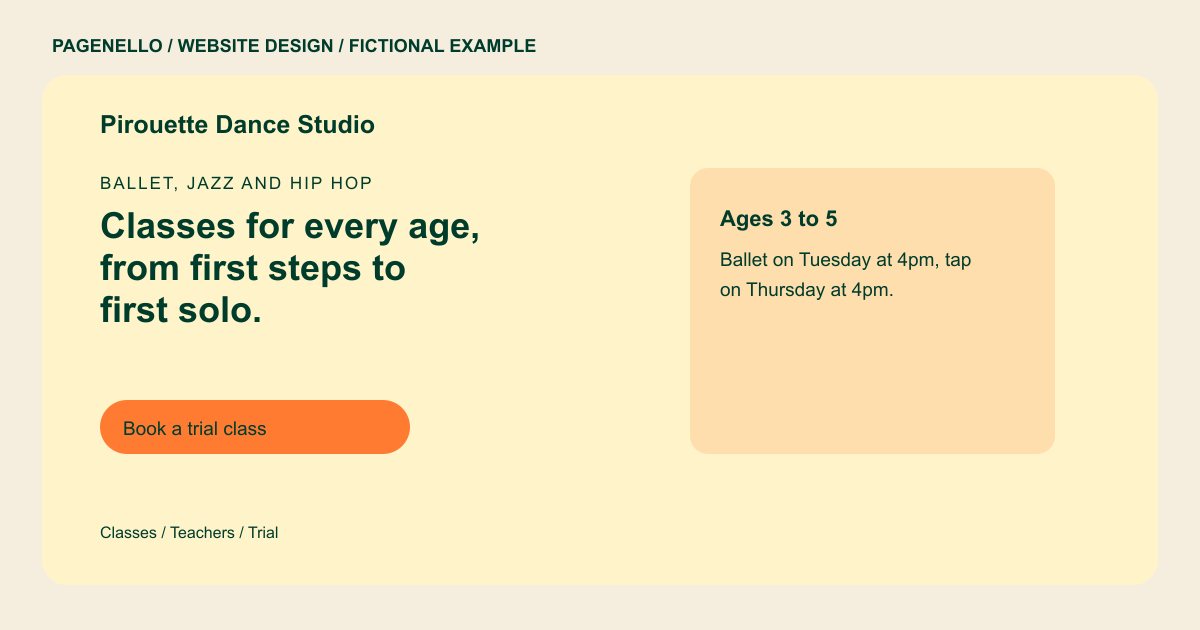
Ballet, jazz and hip hop
Classes for every age, from first steps to first solo.
Weekly classes for toddlers through adults, with a free trial class for new students. Recital costume fees are listed on the schedule page.
Plan your dance studio website
What do dance studio customers look for on a website?
Parents and adult students look up a dance studio in a few quick steps. They want the class times for their child’s age or their own level, the price of a trial class, and the name of the teacher who runs each class. Recital dates and costume fees come up next, usually once they’ve decided to visit. A timetable that is hard to read on a phone, or a page that buries the trial class, can make those details harder to find. A parent looking for an introductory ballet class may need a different starting point from an adult returning to tap.
| Customers look for | On your Pagenello page |
|---|---|
| Class times by age and level | A timetable grouped by age group and level, with the start time, length and teacher for each class. Plain text is easier to read on a phone than a picture of the schedule. Note which classes welcome beginners and how to ask about placement. If recital participation is optional, explain that using your own policy. A schedule link can lead to the timetable you already maintain. |
| A trial class offer | Your first-class offer, if you have one, in the top section, with a button to book it in your studio software. If you offer an introductory lesson, explain the age or experience level it suits and what a student should wear. A parent can then discuss placement with your staff before registering. Use your actual trial terms and direct families to the class information your studio keeps current. |
| The teachers | A short line for each instructor, with the styles they teach and the training they hold, so a student knows who will be at the front of the room. A teacher introduction can mention the dance styles they actually teach and relevant training they have completed. If classes are divided between children and adults, identify the instructor for each group so a prospective student knows whom to contact about placement. |
| Recitals, costumes and fees | The recital dates, the costume fee and how families buy tickets, written out so parents can plan the season. Ticket sales go through the link you already use. |
| Studio policies | Attendance, make-up class and withdrawal rules in plain language, so a parent can read them before they sign up. |
Which tools can my page link to?
Most dance studios run class registration, tuition and attendance in Jackrabbit Dance or Mindbody, and sell recital tickets through Eventbrite or a box office page. Your page links to trial booking and registration in that software, so families sign up where they always have. Tap-to-call and email cover questions about placement. Tuition and payments stay in the studio software, and families reach them from the page in one tap.
What does it cost?
$590 once. The first look is free. A separate page for class descriptions and prices costs $190. Google Business Profile setup costs $149; you verify the listing with Google and grant Pagenello manager access.
See the complete pricing and terms and how the first look works.
Questions from dance studio owners
Can families sign up for classes from my site?
Yes. The page links to your registration or trial booking in Jackrabbit Dance, Mindbody or the studio software you use. Families sign up in the same place as before, and tap-to-call covers placement questions.
Do I need a page for the recital?
A short section with the date, the costume fee and the ticket link is enough for most studios. A dedicated recital page with photos from past shows is $190, and it suits a studio that stages a large show every season.
Can my class schedule change every term?
Yes. Class times can be written as text and updated as your timetable changes. Small text and photo edits are free for 30 days after launch. After that, Care Plus covers up to two small edits a month for $390 a year. Identify the ages and levels your program actually serves.
Should I list teacher credentials?
List the styles each teacher trained in and any certifications they hold, as plain text. Only add a credential you can show a parent if they ask.
Can you build the registration system?
No. Class registration and payments built from scratch are outside this package. Your page links to the studio software you already use, and each button opens the right page in one tap.
