Escape room website design: one page for games, group sizes and booking
An escape room website has to show your games, how many people each one fits, how hard each one is, the age rules and how to book a time. Pagenello turns your rooms into one custom page for $590, written for your games and linked to the booking system you already use. You get a free first look at the top of the page before anything is paid.
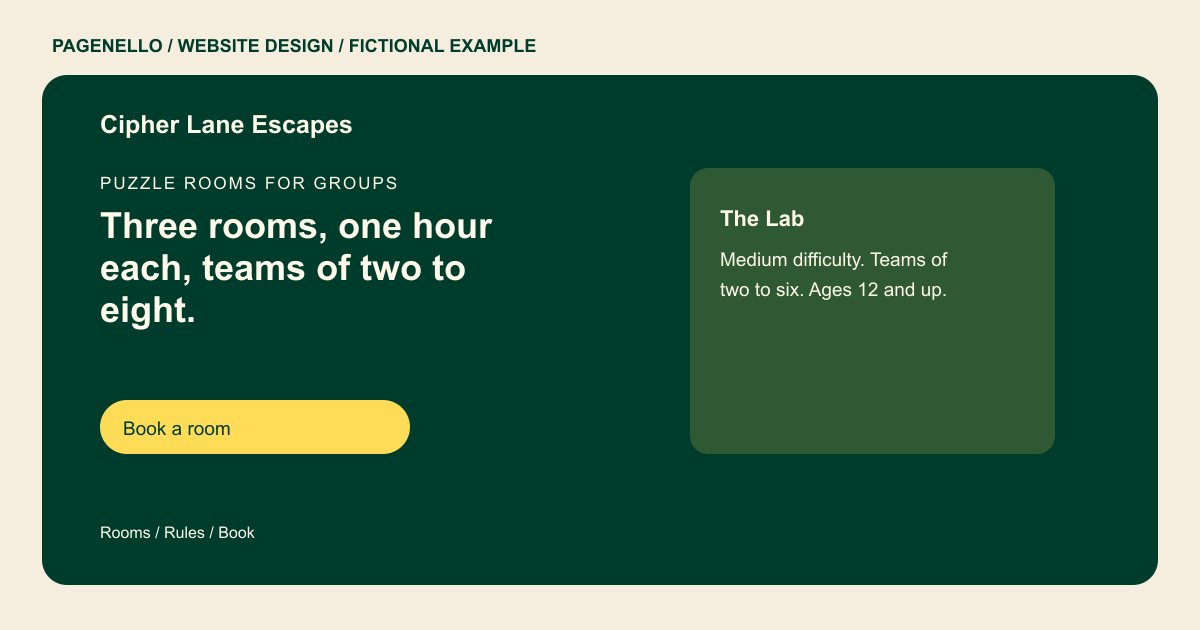
Puzzle rooms for groups
Three rooms, one hour each, teams of two to eight.
Pick a room, check the group size and age rules, then book your time. Every room has a short story, a few hidden clues and a timer on the wall.
Plan your escape room website
What do escape room customers look for on a website?
A group organizer needs enough information to choose a game for the people coming. Describe each room’s theme, player range, difficulty and age policy as your venue defines them. Mention conditions such as darkness or physical obstacles when relevant, and provide a contact for accessibility questions. A labeled button can send the group to the reservation service you already use.
| Customers look for | On your Pagenello page |
|---|---|
| Your games | Each room with a short, spoiler-free description, its theme and its difficulty, so a group can pick the one that suits them. Describe a premise without revealing a solution, and give each game its own difficulty label in your venue’s words. If a venue rotates storylines, explain which themes are currently playable and where groups can check for retired rooms. Let the organizer compare the atmosphere without giving away a clue. |
| Group sizes and prices | The minimum and maximum players for each room, and the price per group or per person as you set it. Pricing appears as plain text. Put each room’s player range and duration beside the title so the organizer can compare the available experiences. |
| Age rules and access | The minimum age for each room, whether children need an adult in the room and what you offer for guests with mobility needs, stated in your own words. Use your venue’s own age policy and describe conditions such as darkness or physical obstacles where relevant. Include conditions such as dark spaces or loud effects when they apply to your games. Offer an inquiry route for guests who need to discuss access, and describe only accommodations your venue actually provides. |
| Booking | A button to your booking system, and a tap-to-call line for large groups, birthdays and last-minute questions. Explain the actual options for parties or corporate groups, including how to ask about a larger booking. |
| Finding you | The address with a map link, parking details and where the entrance is, since groups often arrive unsure which door to use. Point guests to your existing reservation page and provide a separate contact for accessibility questions. |
Which tools can my page link to?
Connect the page to the reservation service your venue already uses so guests can check the room and time options it provides. Add a phone or email contact for group or accessibility questions. A new booking system and payment processing are outside the package.
What does it cost?
$590 once. The first look is free. A separate page with each room's full story fits on $190 once you run more than three or four rooms. $79 gives your team an address at your domain for party and corporate requests.
See the complete pricing and terms and how the first look works.
Questions from escape room owners
Can I show each room's difficulty and group size?
Yes. Each room gets a short block with the theme, the difficulty in your own words and the group sizes it fits. A clear block lets a group choose before they call, so no one is surprised on the day.
Can groups book a time from the site?
The page links to the booking system you already use, so a group picks a room and a time in one tap. Booking systems and group deposits fall outside this package, so that work stays in your tool.
How do I explain age rules on the page?
State the minimum age for each room and whether children need an adult in the room. If a room has a height, mobility or physical requirement, say so plainly. Guests check the rules before they arrive, so they belong on the page.
Can I host birthdays and team events?
Yes. A short section for parties and corporate groups works well, with the room options for each group size and a button to request a date. Send those requests to the address at your domain, if you set one up.
Can I add rooms or change prices later?
Small text and photo changes are included for 30 days after launch. After that, Care Plus is $390 a year and covers up to two small edits a month. Ask about the scope and price before commissioning a larger room update.
