Preschool website design: one page for parents, tours and enrollment
Families choosing a preschool may compare classroom ages, daily routines and opportunities to visit. A clear page can introduce your programs, share the credentials you hold and invite parents to contact your director about enrollment. Pagenello writes and designs that custom page for $590; an existing tour scheduler can receive visitors. Before paying, you can review the free first look, which covers the top of your proposed page.
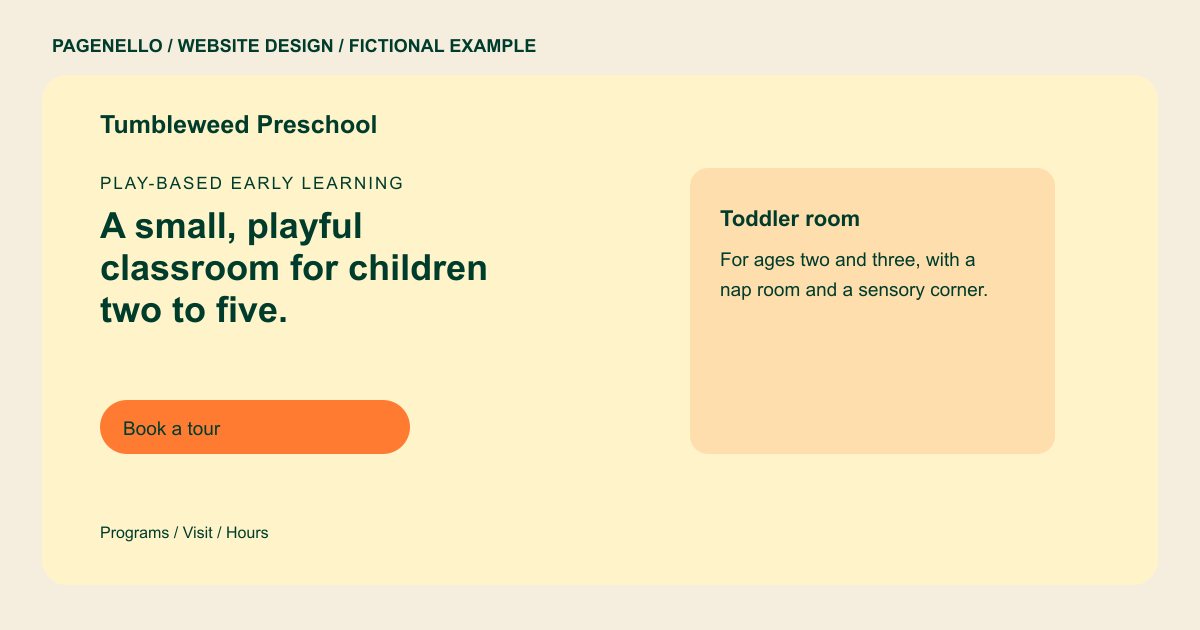
Play-based early learning
A small, playful classroom for children two to five.
Morning circle, outdoor play and hands-on projects in small groups. Tours run on weekday mornings, so book one below.
Plan your preschool website
What do preschool customers look for on a website?
A parent choosing a preschool is choosing a place for their child, so they check things in a rough order: whether it is licensed, whether the hours fit the work day, what a typical day looks like, who is in the classroom, and whether they can visit. They often read on a phone late at night and then ask for a tour. Your page needs those answers in plain words, with your license number and a button to book the tour. A few photos of the rooms help a parent picture their child there before the visit.
| Customers look for | On your Pagenello page |
|---|---|
| Ages and programs | The ages you serve and each program level, such as toddler or pre-K, with a short line on what a day looks like in each room. Distinguish the age groups and schedules your school actually offers so a family can ask about the appropriate classroom. |
| Hours and the school calendar | Opening hours, drop-off and pickup times, and the closures parents plan around, such as holidays and summer weeks. Describe the drop-off and pickup windows for each classroom schedule, including school closures that families need when planning their week. |
| Licensing and staff | Your state license number and the credentials your teachers hold, as text. Parents often check these before they tour. |
| A way to visit or enroll | A tour button that links to your scheduling tool, a tap-to-call button, and an enrollment link if you use one. Explain whom a parent contacts about openings and what happens during a visit, using your school’s own enrollment process. |
| What the rooms look like | Photos of the classroom, the playground and the entrance, so a parent knows what the place feels like before they arrive. Use classroom and playground photographs only with the necessary permissions, and avoid identifying children without an appropriate authorization. |
Which tools can my page link to?
Your page can link to the tour scheduler or parent portal your school already uses, when those services provide shareable links. Describe what families can do at each destination. Attendance, tuition and private parent messages remain in your own systems.
What does it cost?
$590 once. The first look is free. Give families a longer programs and tuition guide for $190. For $149, Google Business Profile setup uses the school details you provide; you verify the profile and grant manager access.
See the complete pricing and terms and how the first look works.
Questions from preschool owners
Do I need to show my state license on the page?
Use the verified license details your school provides, and check the display and advertising requirements that apply in your jurisdiction. I can add the information in the location required or approved for your school.
Can parents book a tour from the site?
Yes. The tour button links to your scheduling tool, such as Calendly or the tour booking inside your childcare app. If you prefer phone calls, the tap-to-call button does the same job. The calendar itself stays in that tool. Classroom pictures can show materials and activity spaces without identifying children. If your school supplies photographs with children, check the permissions and privacy practices that apply before publication.
Can I show tuition on the page?
You can publish your tuition or link to the tuition sheet your school maintains. Small text edits are free for 30 days after launch. Afterward, Care Plus at $390 a year covers up to two small edits a month. Give families a way to ask the director about current openings.
Should I add my accreditation?
Include an accreditation only if your school holds it, using its exact name and current status. For example, verify your NAEYC designation before publishing it. Families can then ask your director about the classroom routine and any enrollment questions during a tour.
Is one page enough for a preschool?
Most preschools fit their programs, hours, licensing, photos and a tour button into one scroll. A separate programs and tuition page, $190, helps if you run several age groups or an after-school program.
