Real estate agent website design: one page for your listings, areas and consultations
Buyers and sellers have different questions for an agent: one may want an approved listing search, while the other wants to discuss marketing a property. A custom page can identify your brokerage, the areas you serve and how to begin a conversation. Pagenello writes and designs it for $590; your existing listing tool handles searches. You can see the top of the proposed design in a free first look before paying.
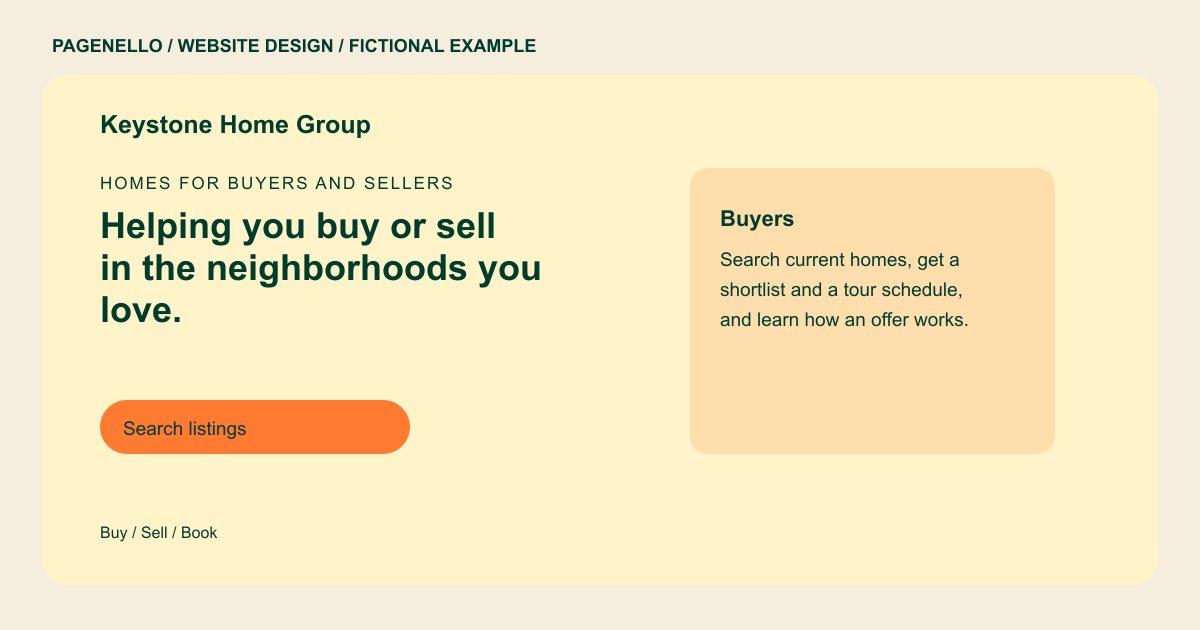
Homes for buyers and sellers
Helping you buy or sell in the neighborhoods you love.
Search current listings, see the neighborhoods I work in, and book a 30-minute call to talk about your next move. License #00000.
Plan your real estate agent website
What do real estate agent customers look for on a website?
A buyer may arrive after finding a listing, while a seller may be comparing agents for a future move. Describe the neighborhoods and property types you actually serve, your brokerage, and the first conversation each client can request. A link to an approved listing search gives buyers a separate path. Sellers may want to understand how you discuss pricing and market a home. Check brokerage requirements before publishing and avoid promising a sale price or timeline.
| Customers look for | On your Pagenello page |
|---|---|
| Areas and property types | The neighborhoods and property types you work in, such as condos, family homes or land, with a line on the buyers and sellers you serve most. Distinguish the communities and property categories you actually cover, and describe the assistance available to buyers and sellers. |
| Listing search | A link to your brokerage’s approved listing feed or IDX search, where buyers can browse available homes. Confirm the destination with your brokerage. Identify which brokerage-operated destination a buyer will open and check that it displays the current listings you are permitted to share. |
| License and brokerage | Your state real estate license number and brokerage name, with any disclosure your brokerage asks you to display. Include the exact brokerage affiliation and license details required for your jurisdiction, after checking their placement with your supervising broker. |
| How buying and selling works | A short outline of the steps for a buyer and for a seller, from first call to closing, in plain words. Explain what your own first conversation covers, including how a seller can discuss pricing and how a buyer can review priorities. |
| Start a conversation | A consultation button to your calendar tool or a tap-to-call button, with a note on what to bring, such as a must-have list or the address of the home to sell. |
Which tools can my page link to?
Your page links to the tools agents already use: Zillow Premier Agent or Realtor.com for your public profile, your brokerage’s IDX search for active listings, Follow Up Boss or kvCORE for lead follow-up, and Calendly for consultations. Visitors reach each tool with one tap, and the page itself holds no client data. Reviews stay on the profiles where clients post them.
What does it cost?
$590 once. The first look is free. A neighborhood guide can have a separate page for $190. The $149 Google Business Profile setup requires your verification with Google and manager access for Pagenello.
See the complete pricing and terms and how the first look works.
Questions from real estate agent owners
Can visitors search listings on my page?
Visitors can follow a link to a listing search supplied by your brokerage or an approved IDX provider. The Pagenello page does not store listings or manage sign-ins. Identify the areas you serve and confirm the destination with your brokerage before publication.
Should I show my sales numbers?
Only if you can share them accurately, in the format your brokerage allows. The page doesn’t promise a sale price or a timeline, because both depend on each property and on the market. For sellers, explain how your first conversation covers the property and the proposed marketing approach. Keep any past results accurate and subject to the review rules of your brokerage.
Can I show my license?
Yes. Your state real estate license number and brokerage name go on the page as you give them to me, with any disclosure your brokerage asks you to display.
Can client reviews go on the page?
Yes, reviews you already have, quoted word for word with each client’s OK, and a link to your Zillow or Google profile where visitors can read them all. I don’t write reviews or edit what clients said.
Is one page enough for an agent?
For most agents, yes. Your areas, the listing search link, how buying and selling work, your license and a consultation button fit in one scroll. A team site with several agents can add a page for each, which is $190.
