Climbing gym website ideas for the first session
A climbing gym website can orient a new visitor before they reach the wall: show climbing styles, pass options and the steps required on arrival. The fictional Granite Hold Climbing sample combines those details with a waiver button label. Replace its prices, facilities and orientation rules with your gym’s own.
Want a page designed for your business? See the top of your own page free before paying.
By Luis Junior
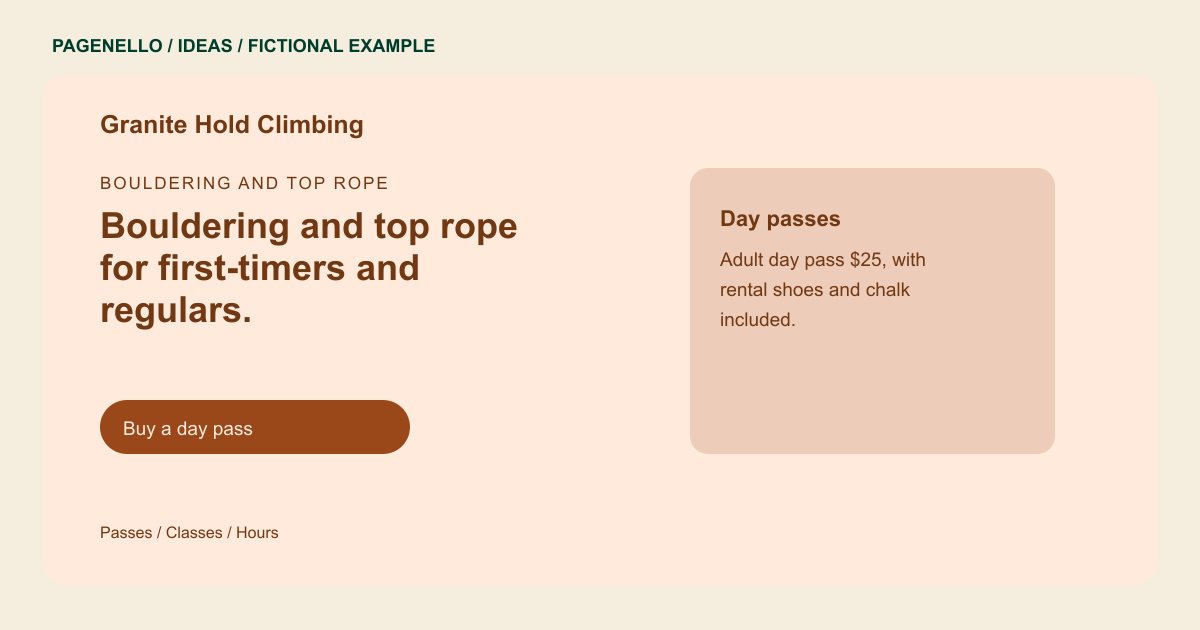
Bouldering and top rope
Bouldering and top rope for first-timers and regulars.
Forty bouldering problems, twelve top rope lines and a beginner area with a belay clinic every Saturday morning.
Introduce the terrain
Granite Hold describes bouldering and top rope in its opening line. That distinction matters when visitors are choosing a facility or planning what equipment to bring. Use your own wall photos and describe the types of climbing available without implying that every visitor can use every area.
Design the first-visit sequence
The sample shows a day-pass card, an orientation note and a button labeled “Sign the waiver.” Your version can explain rental gear, partner requirements and any age restrictions that actually apply. Put the waiver link before arrival instructions if your process requires it in advance.
Keep regular climbers informed
A route-setting note can give returning members a reason to check the page. Use dates or a link to your existing updates channel only if someone can keep it current. Avoid promising a reset cadence that your setters have not confirmed.
Climbing gyms: ideas
| Idea | Use |
|---|---|
| New-climber route | Start with the first-visit card, then arrange your pass, equipment and waiver information in the order guests need it. |
| Pass comparison | Swap the example’s fictional day-pass price for your actual rates and explain rental gear separately when needed. |
| Classes and instruction | Give a beginner clinic its own short description, including prerequisites and a link to the existing class schedule. |
| Setting update | The sample mentions a wall map in its route-setting note. On your page, explain where climbers can find the current route or problem information. |
| Family visit | If you welcome children, add your real supervision and age rules beside the visit details rather than burying them in a general paragraph. |
Questions about climbing gym websites
Is Granite Hold a real climbing gym?
No. Its walls, prices and class details are fictional and illustrate a possible page. Your site should describe only the facilities and instruction you actually provide.
Can a climber sign a waiver through this site?
A button can open the waiver provider your gym already uses. The Pagenello package does not create a new waiver or booking system. Tell climbers whether your staff asks for it before arrival.
How should I explain climbing safety?
Share your own gym rules and contact details for questions. The website can present your approved wording, but it does not replace staff instruction or a visitor’s responsibility to follow your procedures.
Can I list both bouldering and rope climbing?
Yes. Give each activity a concise description, noting applicable rental, orientation or partner requirements supplied by your team. Use the rules your gym applies to each activity.
