Tax preparer website design: one page with your services, credentials and how to start
A tax preparer’s website has to show which returns you prepare, the credentials behind your name and how a client starts without sending documents through the wrong channel. Pagenello builds that as one custom page for $590, with a secure link to the document portal you already use and tap-to-call for questions. The free first look lets you review the top of the page before anything is paid.
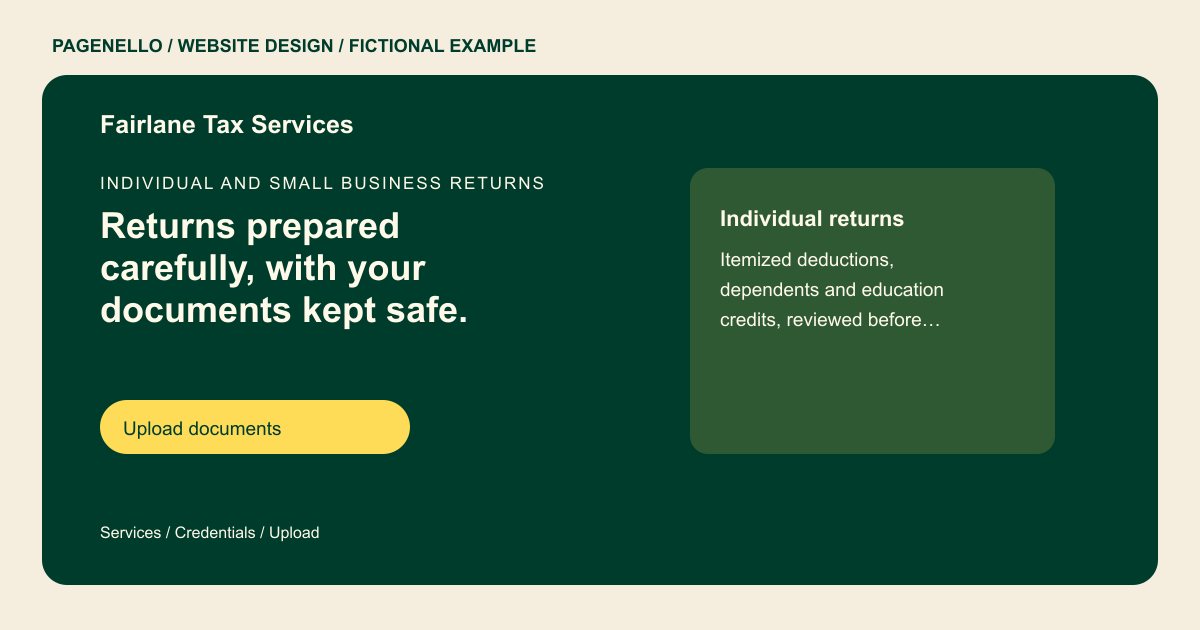
Individual and small business returns
Returns prepared carefully, with your documents kept safe.
Federal and state returns for individuals, self-employed clients and small businesses. Upload documents through our secure portal, not by email.
Plan your tax prep website
What do tax prep customers look for on a website?
People hiring a tax preparer usually have a deadline and a pile of W-2s, 1099s or a small business ledger. They want to know whether you hold a PTIN, an enrolled agent or CPA credential, whether you prepare state returns too and how documents are sent safely. Self-employed clients and households check that you handle their situation, such as rental income or a sole proprietorship. Clear credentials and instructions for an appropriate document-transfer method give clients a way to check the process.
| Customers look for | On your Pagenello page |
|---|---|
| Returns you prepare | A short list of the returns and situations you handle, such as individual, self-employed, small business or rental income, and the ones you refer out. Someone with a sole proprietorship may bring different records from a household filing a straightforward return. Explain the types of returns you accept and how a prospective client can ask about an engagement. Keep preparer titles accurate, and have the practice review document-transfer instructions and any applicable disclosure requirements. |
| Credentials | Your PTIN, enrolled agent or CPA credential and state license, written the way they appear on your records. |
| How to send documents | A button to your secure client portal for uploads. The page never asks for a Social Security number or a bank account number. |
| Fees and what they cover | A starting fee for each return type and a line on what it includes, such as state returns or amended filings. |
| Filing-season hours | Your office hours during the season and after it, plus a button to book a call or an appointment. For return preparation, explain who can ask about an engagement, the types of work your office accepts and the steps before documents are transferred. If you display a preparer’s professional designation, confirm the title and its status. An existing portal can be linked separately; the public page should not ask visitors to post tax identifiers. |
Which tools can my page link to?
Link to the document portal and appointment service your office already uses, with labels that distinguish an existing client upload from a first inquiry. Your practice chooses and manages those services. The Pagenello page does not provide file uploads or store tax documents.
What does it cost?
$590 once. The first look is free. A separate bookkeeping or other services page costs $190. For $149, Google Business Profile setup uses the practice details you provide; you verify the listing and grant Pagenello manager access.
See the complete pricing and terms and how the first look works.
Questions from tax prep owners
Can clients upload tax documents on my site?
The page should not carry an upload form of its own, so it links to the secure portal your practice already uses. That portal handles uploads and keeps them with the return.
Should I list my fees?
A starting fee for each return type helps, because clients want a rough cost before they book. Say what the fee covers and what changes it, such as extra forms or a state return. A full fee table can sit in a linked PDF.
Which credentials go on the page?
Your PTIN and any enrolled agent, CPA or state credentials, exactly as they read on your records. Clients check credentials before they hand over documents, so don’t abbreviate or list a title you don’t hold.
Can I promise a refund or a specific outcome?
No, the page shouldn’t. Refund amounts depend on each client’s records and the law, so promises about outcomes don’t belong on a tax page. Describe the services and how you work, and let each return set its own result.
Is one page enough for a tax preparer?
For a practice with a short list of services and one filing-season schedule, yes. If bookkeeping, payroll and business advisory each need their own explanation, each extra page is $190.
